#Maintenance
The 7 best car maintenance apps to keep your vehicle in top shape


TL;DR: Free apps offer basic maintenance and fuel tracking features. For the most complete car maintenance option, opt for an app and device combination, such as OBDeleven.
Keeping up with car maintenance isn't always an easy feat. You have to remember everything from air filter changes to insurance renewals and actually good service providers. To keep things organized, many people opt for using car maintenance apps.
In this article, we'll review 7 popular car maintenance apps, test their features, and see which ones give you a bang for your buck.
What to look for in a car maintenance app
Not every car maintenance app works the same way. Some focus on the basics, like reminding you about oil changes, inspections, or insurance renewals. Others go a step further and connect to your car through an OBD device to let you read live data or even reset service indicators.
Before choosing the app, here are a few things to consider:
Does it have a reminders feature?
Reminders for maintenance or certain expenses will help keep track of upcoming services. Bonus points if the tool can update data automatically, especially for mileage-based services, like oil changes.
Does it have other features to help upkeep the car?
Reminders are great for recurring services, but it's also important to prevent unexpected issues. Look for apps that can connect to diagnostic tools – you'll be able to see in-depth data about control units and battery health.
Is it easy to use?
Consider usability and your overall experience with the app (or the device too, in some cases) to see if the design, logic, and features work as you would expect.
What is the overall value?
Price does not always equal value. Paid apps might offer more than free ones, so consider what your money gets you and if you think it's a decent investment in your case.
Top car maintenance apps: Quick overview
With the above questions in mind, we tested and compared a few popular digital car maintenance app options.
Here’s a short overview of all tested maintenance apps:
| App | Device required | Maintenance features | Diagnostic capabilities | Price |
| OBDeleven – OBD2 car scanner | Yes | Maintenance reminders and service history. Hybrid battery check. Live data. Emissions readiness check. Service resets. | ✅ | Free app; Device starts at €84.99. Plans and Credits for manual coding and no-code customizations cost extra. |
| CARFAX Car Care App | No | Maintenance reminders. Recall alerts. Automatic service logs. | ❌ | Free app |
| Drivvo - Vehicle management | No | Maintenance reminders. Expense tracker. Custom checklists. | ❌ | Free app; Paid plans available for individual and business use. |
| FIXD OBD2 Scanner | Yes | Mileage-based maintenance reminders. Repair cost estimation. Workshop lookup. Live data. | ✅ | Free app; Device starts at $59.99. Premium plan with more features costs extra. |
| Simply Auto: Mileage Tracker | No | Maintenance reminders. Expense tracker. Log-based reports. | ❌ | Free app; More features with subscription cost extra. |
| Carly – OBD2 car scanner | Yes | Service and inspection resets. Reminders. Live data. | ✅ | Free app; Device starts at 64.80€. More features and supported brands cost extra. |
| Carista OBD2 | Yes | Service resets. Live data. | ✅ | Free app; Device starts at $74.99. More app features cost extra. |
OBDeleven – OBD2 car scanner: Best for easy long-term maintenance
Key features:
1. Maintenance reminders and service lights resets
2. Hybrid battery check
3. Extra maintenance and vehicle inspection features
Free app. OBDeleven 3 device starts at €84.99.
1. Maintenance reminders and service lights resets
2. Hybrid battery check
3. Extra maintenance and vehicle inspection features
Free app. OBDeleven 3 device starts at €84.99.
OBDeleven is a mobile app and OBD device combination, which provides diagnostic and car maintenance features. The app is available for iPhone and Android users.
The Maintenance reminders feature allows you to select pre-made or custom reminders for various services based on the selected date or mileage (the device will track mileage automatically). The app sends you reminders 30, 7, and 1 day before your service is due. It also supports iOS and CarPlay widgets, so you can see upcoming items on your devices without opening the app.

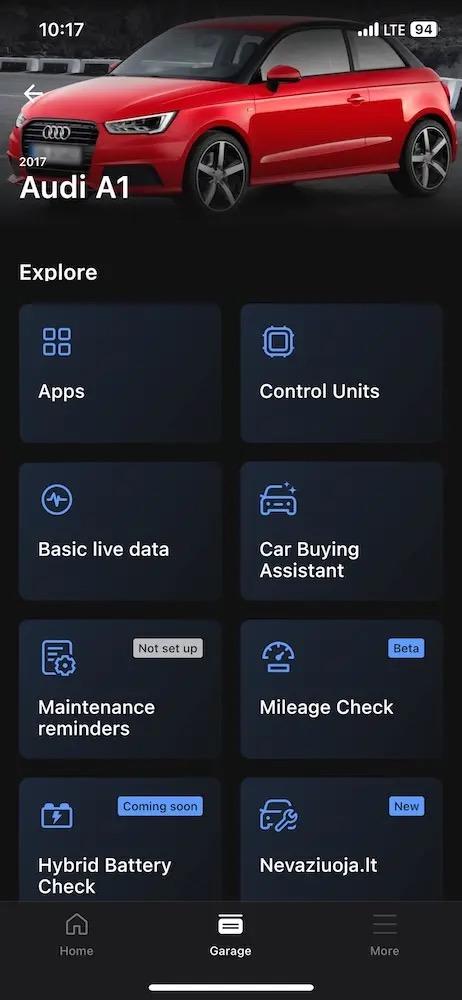
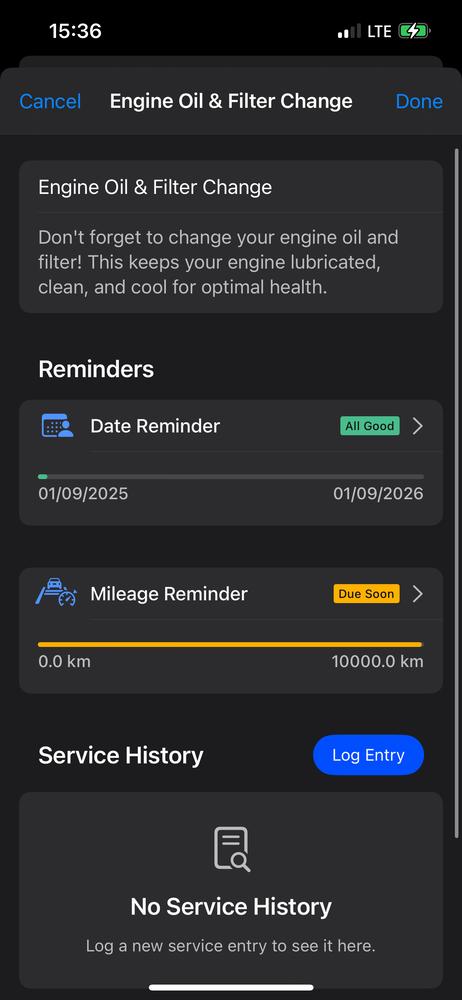
OBDeleven app. Images: OBDeleven app on iOS.
After servicing your car, you can also reset service lights with no-code customization options – One-Click Apps (available for supported brands).
In addition to reminders, there’s also a Hybrid battery check, designed to inspect hybrid battery health parameters and Emissions readiness check to view emissions-related information. OBDeleven is primarily a car diagnostic device, so you can also run advanced diagnostics and view live data for all licensed brands.
Overall, OBDeleven is a very well-rounded tool to upkeep your car, track maintenance, and even fix small issues without visiting a workshop.
| Pros | Cons |
| Offers more readily available maintenance features (requires a device but no paid plan) than other options | Requires a device |
| Maintenance reminders can be set by date or mileage (tracked automatically) | Maintenance reminders are currently only available on iOS devices |
| You can use the device and app features for an unlimited number of vehicles | Available features vary by brand, year, and region |
CARFAX Car Care App: Best free app with no hardware
Key features:
1. Service reminders and recall alerts
2. Automatic service history
3. Fuel tracker
Free app with no in-app purchases
1. Service reminders and recall alerts
2. Automatic service history
3. Fuel tracker
Free app with no in-app purchases
CARFAX Car Care is a dedicated car maintenance app that doesn’t require hardware to work. The app is completely free to use and has multiple basic features for casual drivers, and works on both iOS and Android devices.
The app lets you track maintenance, receive recall alerts, get repair cost estimates, review fuel consumption, and more.

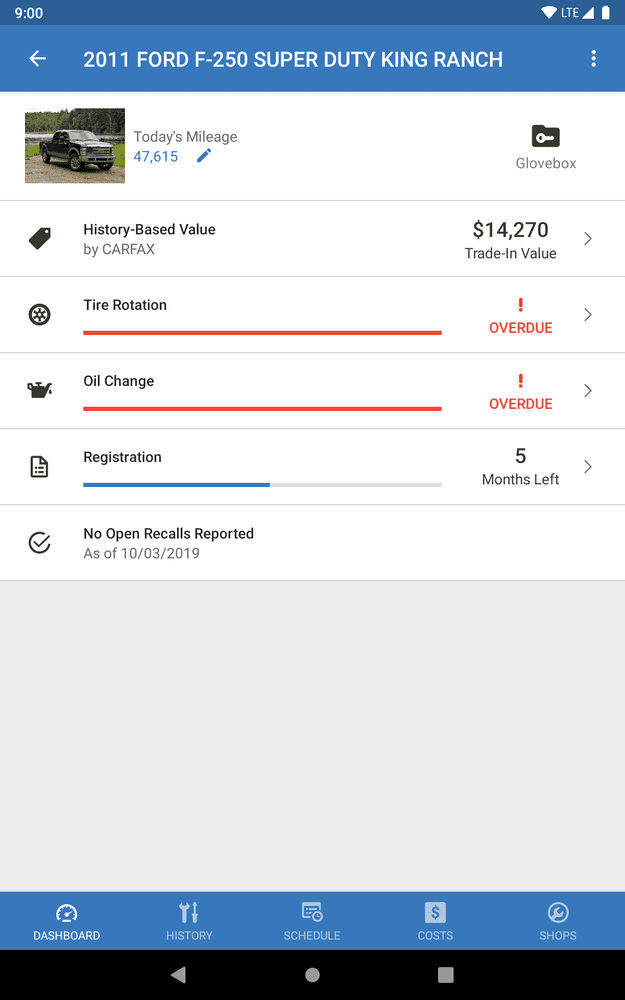
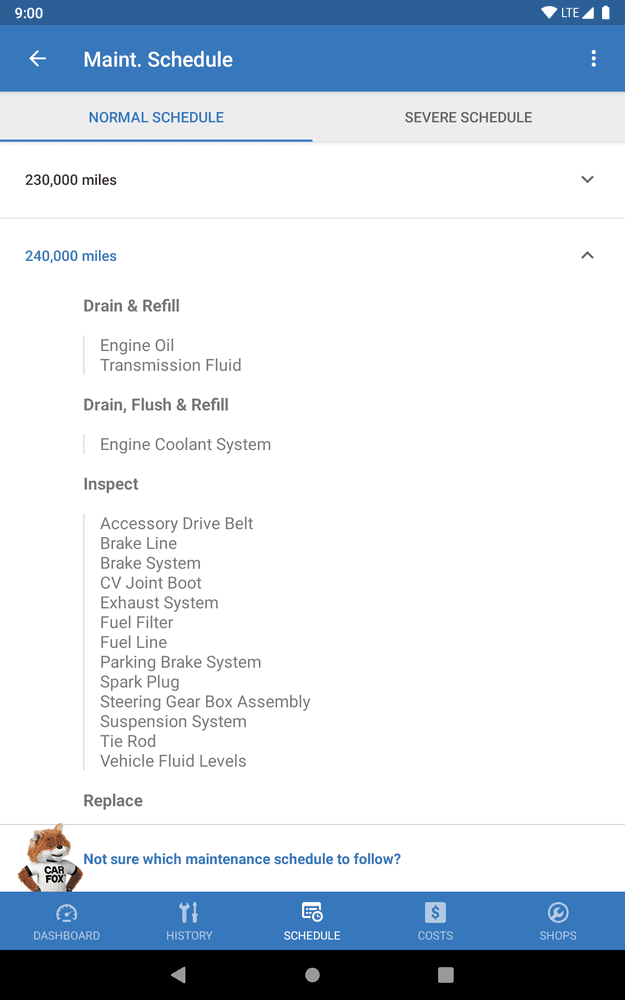
CARFAX Car Care App. Images: play.google.com
What's really convenient about the CARFAX app is the automation. Service records don’t always have to be logged manually – participating workshops and dealerships can log a service to the Carfax database, so the app is able to pull the record to your vehicle maintenance log automatically.
CARFAX is excellent for drivers in North America (the app is available only in the US and Canada) who want a free, semi-automated vehicle maintenance option that also has reminders function.
| Pros | Cons |
| Doesn't require hardware | The app is geo-locked (only available in the US and Canada) |
| Free to use | No diagnostic capabilities |
| Some service records appear automatically | Automatic service records aren't always consistent |
Drivvo – Vehicle management: Best for reminders and expense control for business
Key features:
1. Reminders for maintenance and expenses
2. Expense tracker and reports
Free app. Paid subscription tiers for individuals or businesses are available.
1. Reminders for maintenance and expenses
2. Expense tracker and reports
Free app. Paid subscription tiers for individuals or businesses are available.
Drivvo is a car maintenance app that helps track car maintenance and service costs. The app positions itself as an option for businesses thanks to its fleet management option (up to 100 vehicles) and allows managing regular cars, motorcycles, buses, and trucks.
The app lets you set maintenance reminders, add fuel and service expenses, mileage data, reason for trips (personal or work), and even create custom checklists. It's a very detailed app, but some of the nifty features require a business-tier subscription. Free version also contains ads.
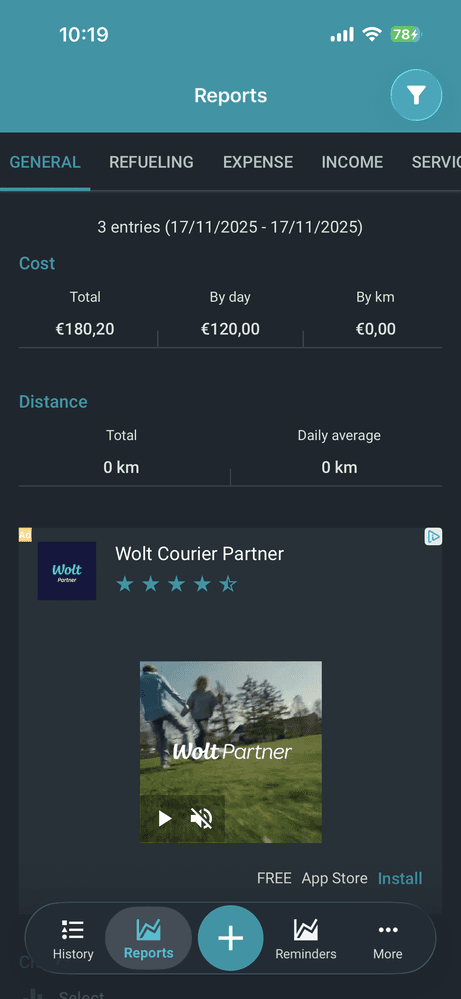
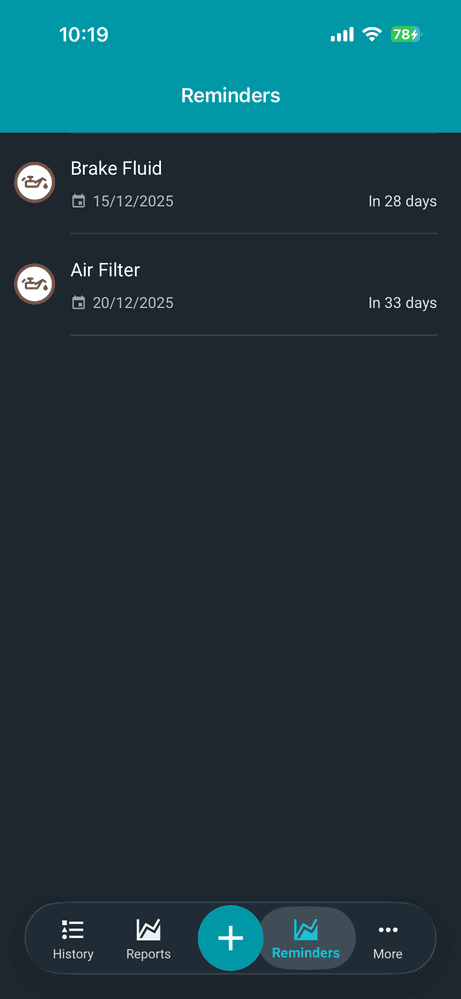
Drivvo app. Images: Drivvo app on iOS.
Other apps on this list also allow maintaining multiple vehicles (some, like OBDeleven, don't even have a set limit) and don't require subscriptions to unlock this functionality.
Therefore, Drivvo is probably best suited for trucking, logistics businesses looking to upkeep multiple large vehicles. Individual vehicle owners would probably benefit from a simpler solution.
| Pros | Cons |
| Various service and expense trackers | Every entry has to be logged manually |
| Supports multiple vehicle types and vehicle fleets | Some features require a paid subscription |
| Allows creating custom checklists | UI can be a little hard to navigate |
FIXD OBD2 Scanner: Best for simple maintenance and code reading
Key features:
1. Automatic maintenance alerts
2. Issue severity description
Free app. FIXD sensor costs $59.99. A premium plan with more features costs extra.
1. Automatic maintenance alerts
2. Issue severity description
Free app. FIXD sensor costs $59.99. A premium plan with more features costs extra.
FIXD is another device and car maintenance app combination. The sensor plugs into your car’s OBD2 port, and once you connect the device to the app, you can schedule reminders or use other available features. Keep in mind that the reminders feature doesn’t work without the sensor.
The app ties reminders to mileage intervals for your make and model, which helps time services accurately. After running a scan to see faults in a car, you can also find workshops and see possible repair costs directly in the app.

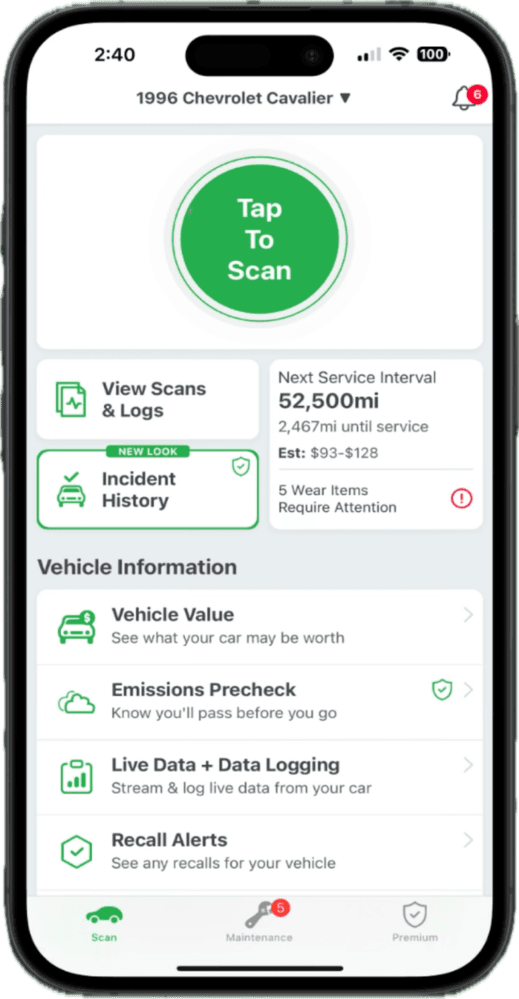

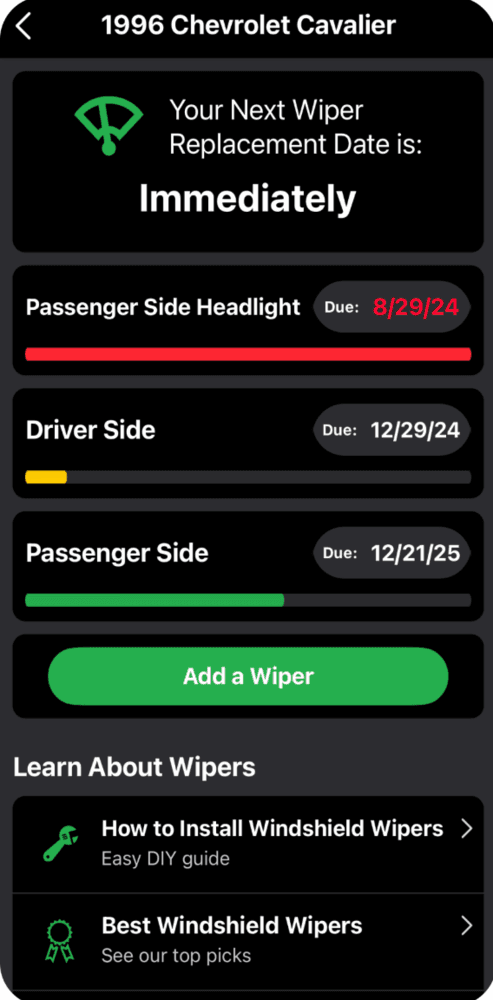
FIXD app. Images: apps.apple.com.
FIXD is also primarily a car diagnostic device, so you can also run diagnostics and review faults. It's best for users who are looking to upkeep a few cars in one household.
| Pros | Cons |
| Clear interval list and alerts when you approach due maintenance | Requres the FIXD sensor to unlock app features |
| The app describes issue severity after code reading | Some features require a premium subscription |
| Provides an estimated cost of repairs | One device & app can save up to 15 vehicles |
Simply Auto: Mileage Tracker: Best for manual logs and cost tracking
Key features:
1. Service and maintenance reminders
2. Cost tracking
3. Generate reports
Free app. You can upgrade to paid Gold or Premium subscriptions for more features.
1. Service and maintenance reminders
2. Cost tracking
3. Generate reports
Free app. You can upgrade to paid Gold or Premium subscriptions for more features.
Simply Auto is another car maintenance app without supporting hardware. It offers various trackers and reminders for upcoming and completed services, mileage, and costs.
The app is pretty straightforward. Click the + button on the bottom menu, select one of the features, and enter the details. Since there's no tool that connects to the car and app, every entry will have to be logged manually.
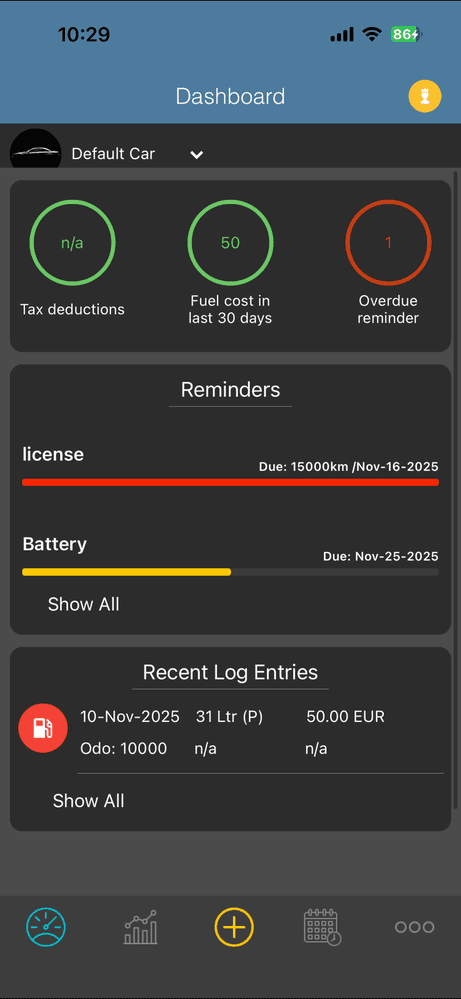
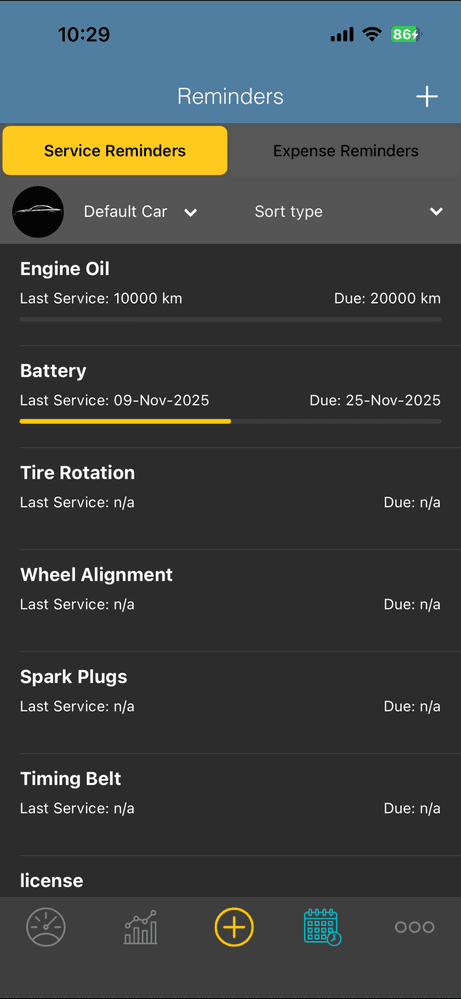
Simply Auto app. Images: Simply Auto app on iOS.
The logs you're putting in are very detailed, but that puts you on a double-edged sword. On one hand, you're collecting a lot of information about your car, fuel, mileage, and this data can be useful.
However, even simple logs like refueling require details like odometer count, quantity, octane, fuel brand, price per liter, and total cost. It can get overwhelming if you're just trying to quickly overview fuel consumption and track expenses.
Nevertheless, it's a decent app with many functions even in the free version. It's for you if you want to be very precise with your maintenance logs.
| Pros | Cons |
| Heaps of service tracking tools | Every entry has to be logged manually |
| Supports multiple vehicles | Extra features require a subscription |
| Syncs data with cloud | UI can be a little hard to navigate |
Carly – OBD2 car scanner: Best for maintenance resets
Key features:
1. Carly Maintenance
2. Service reset on supported brands
3. Carly Smart Mechanic
Free app. Carly adapter starts at 64.80€. An adapter with Battery and Maintenance features starts at 65.20€; extra features and brand support cost extra.
1. Carly Maintenance
2. Service reset on supported brands
3. Carly Smart Mechanic
Free app. Carly adapter starts at 64.80€. An adapter with Battery and Maintenance features starts at 65.20€; extra features and brand support cost extra.
Carly is another OBD diagnostic tool that provides maintenance features via a dedicated car maintenance app. It focuses on service resets, diagnostics, and brand-specific service tools.
The highlight maintenance feature – Carly Maintenance – allows you to keep track of upcoming services, and it doesn’t require an adapter to work. You’ll have to manually log the next due date for services – the app doesn’t calculate it based on mileage or previous service date.
The Carly app also offers an option to reset your service lights with your smartphone, but you’ll need a device for that.
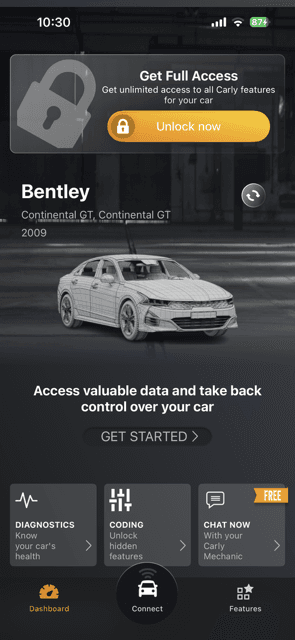
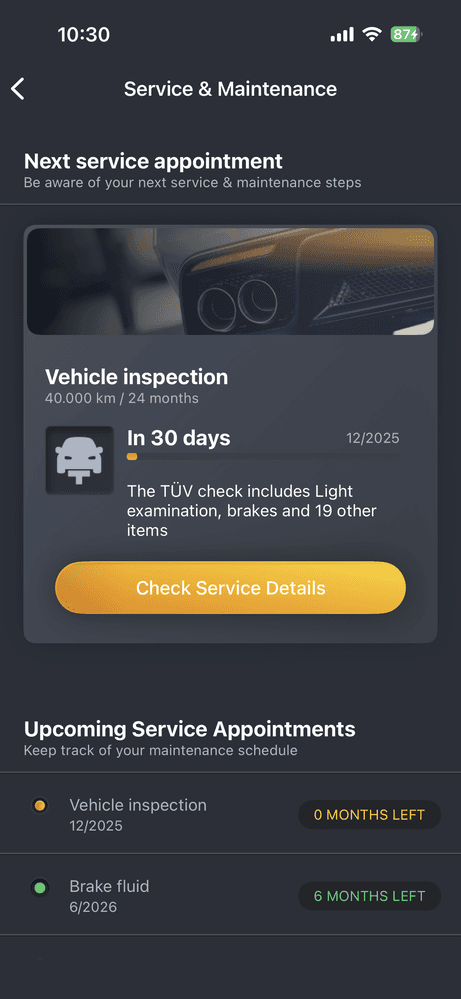
Carly app. Images: Carly app on iOS.
Carly also offers a Battery health check feature that displays information about charge and self-discharge levels, which can indicate severe battery wear.
Carly can be a great option and pretty cheap too, especially if you're looking for a tool dedicated to one car brand.
| Pros | Cons |
| battery health check available with device purchase | Maintenance feature doesn't send notifications |
| Basic maintenance reminders available without a device | Extra features are locked behind additional payments |
| Supports multiple vehicles for one device | Purchase is brand-specific; extra brand support costs extrta |
If you’re looking for a more in-depth feature overview, we have an OBDeleven vs. Carly comparison article prepared for you.
Carista OBD2: Best for servicing the car
Key features:
1. Service tools including service resets
2. Diagnostics and customizations
Free app. Carista devices start at $74.99. App license for more features costs extra.
1. Service tools including service resets
2. Diagnostics and customizations
Free app. Carista devices start at $74.99. App license for more features costs extra.
Carista offers a mix of customization and basic maintenance tools with their device & app combination. Notably, the Carista app doesn’t function without the scanner. However, if you get the Carista scanner with the app, you can perform basic service on your ride. This includes reset service indicators, registering a new battery, and more.

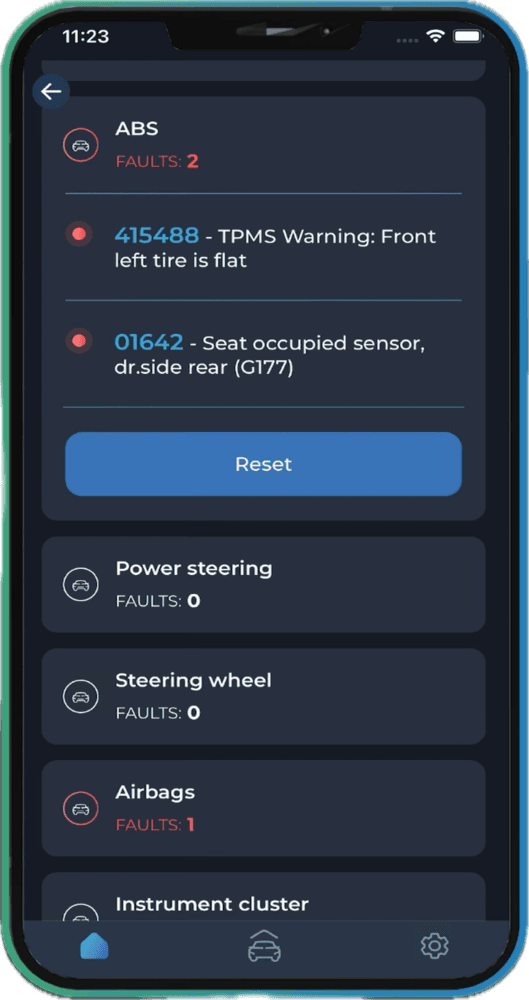
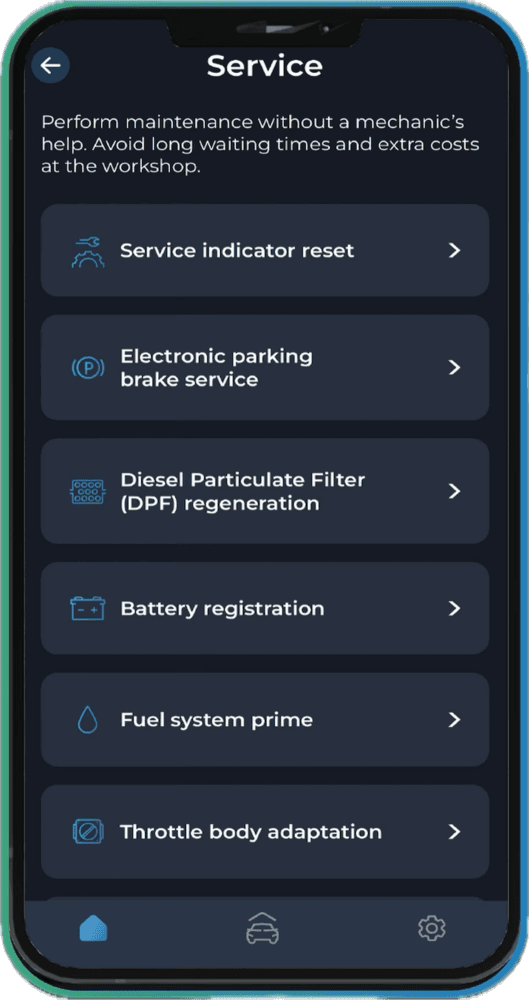
Carista app. Images: apps.apple.com.
Carista’s service is focused on car diagnostics rather than maintenance, so you can run diagnostics, see live data, inspect control unit health, and add customizations for supported brands. Not particularly helpful if you’re looking to track expenses or maintenance, but some features can help prevent issues.
Overall, the Carista app and device are better suited for diagnostics and DIY fixes. You will probably need another app if you want reminders for various services or expense trackers.
| Pros | Cons |
| Many tools to service the car yourself | Limited maintenance functions |
| Allows diagnosing for issues | No reminders feature |
| User-friendly app interface |
Requires a device and app license for all features
|
For a more detailed feature comparison, you can read our OBDeleven vs. Carista article.
Which option is best for me?
A good car maintenance app should ease car ownership, but shouldn’t add extra mental load. So, if you’re looking for a free and easy-to-use app with reminders feature, Simply Auto or Carfax Car Care are the best options.
However, if you’d like a solution that offers more – such as battery checks or emissions tests – we suggest going with OBDeleven. An investment in a device can help prevent issues as well as keep up with recurring maintenance long-term.
Disclaimer: Advice, how-to guides, and car care tips on our blog are intended as helpful resources for general maintenance and repairs. While we strive for accuracy, the information is provided to the best of our knowledge and should be used at your own discretion and risk.
Always refer to your vehicle's owner's manual or consult a certified mechanic for specific repair details and safety procedures.
Always refer to your vehicle's owner's manual or consult a certified mechanic for specific repair details and safety procedures.


OBDeleven 3 PRO Pack + 100 Crediti
Include il dispositivo OBDeleven 3, il piano PRO (12 mesi) e 100 Crediti per sbloccare funzionalità dell’auto con One-Click Apps
€139.99