#Tools & plans
OBDeleven vs FORScan: Which is the better Ford diagnostic tool in 2026?


TL;DR: Choose OBDeleven if you own a US-manufactured Ford built 2008 or later and want guided, one-tap customization from your phone, unlimited free advanced diagnostics across available control units, and maintenance features that keep working long after the scan ends. Choose FORScan if you need module-level coding access on pre-2008, Lincoln, Mercury, or Mazda vehicles and don't mind running Windows software paired with your own adapter.
If you're shopping for a Ford diagnostic tool, you've probably landed on these two names more than once.
Both go well past a basic code reader. Both dig into modules a cheap ELM327 clone will never reach. But they get there from opposite directions.
OBDeleven is a mobile-first tool with growing Ford support, officially licensed and built around a phone app. FORScan is Ford-specialist software with a decade of community development behind it, built for a Windows laptop and whichever adapter you bring along.
Neither wins across the board. Let's break down where each one actually delivers.
OBDeleven ships ready to use, FORScan doesn't
Before comparing features, one difference matters more than the spec sheet: OBDeleven is a complete kit. Buy the OBDeleven 3 device, pair it with the app, and you're scanning within minutes.
FORScan is software only. You'll need a compatible adapter (the FORScan team's own pick is the OBDLink EX) and, for full functionality, a Windows PC.
Keep that in mind as you read the pricing section further down. "Free software" and "ready to use" are two different promises.
OBDeleven 3 vs FORScan: Full feature comparison
|
|
OBDeleven 3
|
FORScan
|
|
Price starts at
|
€84.99 + FREE plan with unlimited advanced diagnostics included
|
Free software + adapter (roughly $60 for the recommended OBDLink EX)
|
|
Device format
|
Bluetooth OBD2 dongle + mobile app
|
Windows software (Lite version for iOS/Android) + your own adapter
|
|
Official Ford licensing
|
Yes, Ford Group (US-manufactured models)
|
Not officially licensed
|
|
Ford model coverage
|
US-manufactured models, generally 2008+
|
Ford, Lincoln, Mercury, and Mazda, 1996+ (protocol-dependent)
|
|
Setup
|
Plug and play, guided app
|
Manual adapter and protocol setup
|
|
Manual coding
|
Manual coding not available for Ford (Volkswagen Group only)
|
Yes, for supported modules
|
|
No-code customization
|
One-Click Apps for Ford
|
None – FORScan is manual coding only
|
|
Service functions
|
Yes, for supported Ford models
|
Yes, including key programming, DPF regeneration, and ABS bleed
|
|
Ownership features
|
Maintenance reminders, Car alerts, Trip tracker, and other advanced features
|
Not included
|
What is OBDeleven?

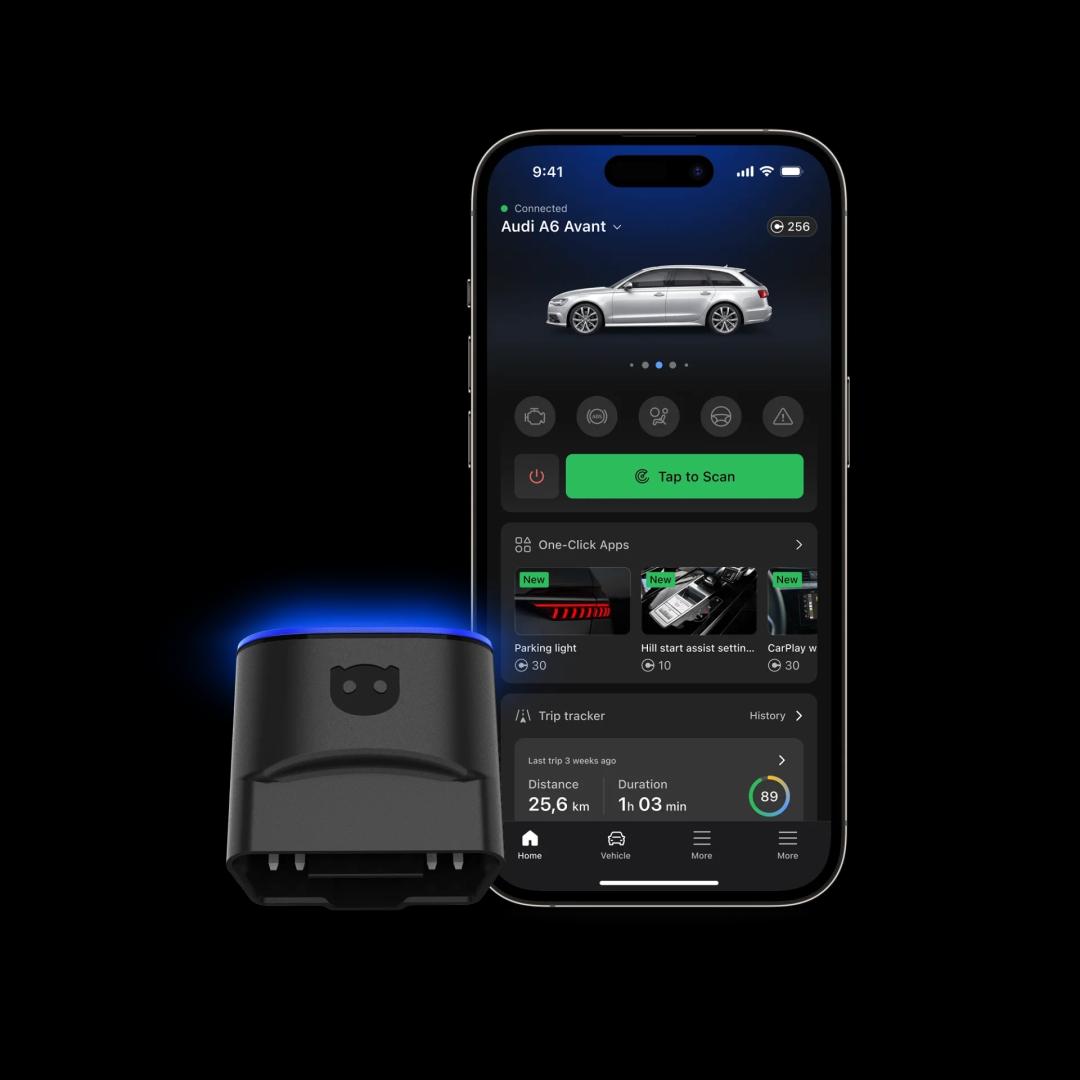
OBDeleven is a Bluetooth diagnostic tool paired with a mobile app that reads and clears fault codes, monitors live data, and applies pre-coded customizations, all from your phone.
Launched in 2014 for Volkswagen Group vehicles, OBDeleven has since added official licensing for BMW Group, Toyota Group, Ford Group (US-manufactured models), and Mercedes-Benz.
Its defining feature is One-Click Apps: pre-coded customizations that activate or adjust comfort, security, and styling features with a single tap. No coding knowledge required.
For Ford owners specifically, OBDeleven also runs advanced vehicle diagnostics across every supported control unit, not just the engine, plus service functions like resets and calibrations.
|
How OBDeleven stands out
|
How OBDeleven is limited
|
|
|
What is FORScan?

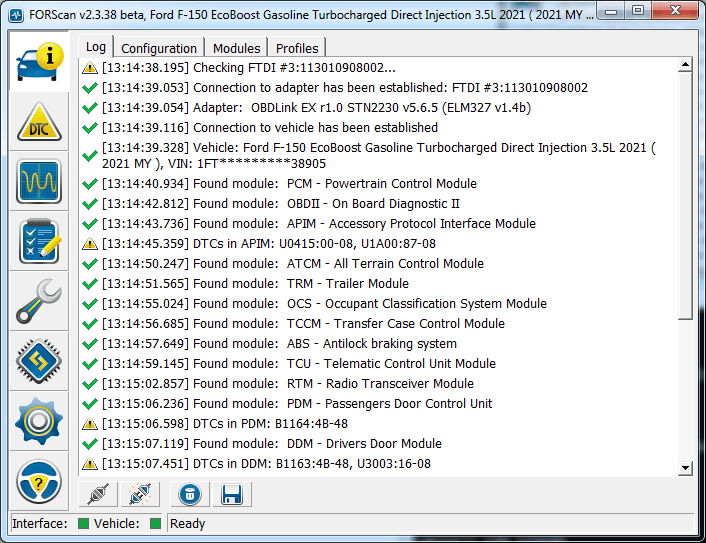
Image: forscan.org
FORScan is diagnostic software built specifically for Ford, Lincoln, Mercury, and Mazda vehicles. It runs primarily on Windows, with a limited Lite version for Android and iOS.
Unlike OBDeleven, FORScan is software only – you supply your own adapter, and the FORScan team is specific about which ones work reliably: the OBDLink EX (USB, its recommended pick), the OBDLink MX+ (Bluetooth), or an ELS27 with the right chipset.
Its strength is depth. FORScan reaches nearly every onboard Electronic Control Unit (ECU), including the Body Control Module (BCM), Restraints Control Module (RCM), instrument cluster, and Passive Anti-Theft System (PATS), across High-Speed CAN (HS-CAN), Medium-Speed CAN (MS-CAN), and legacy protocols like J1850 PWM that most app-based tools don't speak.
The Standard license is free. The Extended license, roughly $20 a year, unlocks protected service functions and configuration changes.
|
How FORScan stands out
|
How FORScan is limited
|
|
|
OBDeleven covers 2008+, FORScan reaches back to 1996
Ford vehicles use different protocols depending on year and region. Since roughly 2008, most Fords run HS-CAN for the powertrain and MS-CAN for body and chassis systems. Older US Fords lean on SCP/J1850 PWM or ISO 9141-2 instead, protocols most app-based tools simply skip.
OBDeleven supports Ford models manufactured in the US, generally from 2008 onward, with advanced diagnostics and One-Click Apps for that CAN-bus generation. Ford vehicles made outside the US still get basic OBD2 diagnostics, just not the deeper features. A handful of 2007 to 2014 models also have narrower support, so check OBDeleven's supported vehicles list before buying if you drive an older Ford.
FORScan covers Ford, Lincoln, Mercury, and Mazda from 1996 onward, provided your adapter supports the required protocols. Pair it with an OBDLink EX, and you can reach MS-CAN modules, older protocol buses, and pre-CAN-era vehicles that OBDeleven can't touch at all.
Key takeaway: If you drive a 2008-plus US-built Ford, OBDeleven covers you well. If your fleet includes older, European, or non-Ford-family vehicles like Lincolns or Mazdas, FORScan reaches further.
OBDeleven is easier to use, FORScan is more hands-on
This is where the two tools diverge most sharply.
OBDeleven is built for zero setup friction. Plug in the dongle, open the app, and it identifies your Ford automatically. One-Click Apps turn common customizations, like activating auto-fold mirrors or resetting a service light, into a guided, tap-through process. The app is user-friendly and beginner-friendly for phone-based setup and guided changes. No module names, no coding syntax.
FORScan asks more of you upfront. You'll choose the right adapter, install Windows drivers, select the correct protocol, and navigate module lists manually. The interface is functional, not polished, built for people who already know what a BCM is. Compared with that, OBDeleven is more approachable for daily drivers and car enthusiasts who want to be guided through advanced changes, while FORScan suits users comfortable with manual workflows. The FORScan community forum fills a lot of the gaps, but the learning curve is steep for newcomers.
Take something like adjusting mirror auto-fold on an F-150. In FORScan, that means connecting via a wired adapter on Windows, finding the BCM through MS-CAN, and manually changing the configuration value. In OBDeleven, if a One-Click App exists for it, it's a few taps on your phone.
Key takeaway: OBDeleven wins on accessibility. FORScan's power comes with a real-time investment attached.
OBDeleven offers simple coding, FORScan digs deeper
Both tools nail the fundamentals: scanning control units, reading and clearing fault codes, and pulling live data.
Where they split is depth.
OBDeleven doesn't currently offer manual coding. Instead, Ford customization runs entirely through One-Click Apps, a growing library, but a curated one. If the tweak you want isn't built yet, OBDeleven can't help you reach it manually.
FORScan has no such ceiling. It exposes manufacturer-proprietary Parameter IDs (PIDs), As-Built data, and raw module configuration across nearly the entire vehicle. A capable adapter can program and flash modules, but it carries real risk and requires stable battery voltage and proper backups.
Note: If you need that level of access for professional or workshop-grade Ford work, it's also worth seeing how OBDeleven stacks up against Ford's own module-programming tool in our OBDeleven vs FJDS comparison.
Key takeaway: For raw coding depth on Ford, FORScan is ahead. OBDeleven trades that ceiling for safety and simplicity – every One-Click App is pre-tested, so you're not editing raw values yourself.
OBDeleven handles the basics, FORScan adds pro-level service tools
FORScan supports Ford-specific service procedures that go beyond generic scanners: diesel particulate filter (DPF) regeneration, anti-lock braking system (ABS) bleeding, key programming through PATS, and dozens of similar workshop-style tasks, all gated behind the Extended license.
OBDeleven also covers service resets and maintenance functions for supported Ford models, including oil and service interval resets and battery registration, delivered as One-Click Apps rather than manual procedures.
Availability on both tools depends heavily on your specific model and year, so check compatibility before you commit either way.
Key takeaway: FORScan's service function list runs deeper and includes tasks OBDeleven doesn't offer for Ford yet, like PATS key programming. For the resets most drivers actually need, OBDeleven's guided version gets there faster.
OBDeleven adds ownership features FORScan doesn't have
FORScan stops at diagnostics and service. There's no maintenance tracking, no used-car support, and nothing built in to monitor your Ford between scans.
OBDeleven builds an ownership layer around its diagnostics, and it's available on your Ford regardless of subscription tier:
- Maintenance reminders – track service intervals so nothing sneaks up on you
- Car alerts – a background check that flags new faults between scans, as long as the device stays connected
- Trip tracker – logs trips and driving behavior over time as well as tracks fuel level and refueling expenses
- Car inspection – an AI-powered VIN lookup and checklist for buying a used car, no device required
Key takeaway: If diagnostics and coding are the whole job, FORScan does that job well. If you want a tool that keeps working for your Ford after the scan is done, OBDeleven is the only one of the two that offers that.
OBDeleven costs more upfront, FORScan is cheaper long-term
OBDeleven 3 starts at €84.99, and that includes the FREE plan – advanced diagnostics and Live Data for your Ford, no subscription required. One-Click Apps run on Credits (from €1.99 for 10), or you can opt for the ULTIMATE plan at €189.99 a year.
Worth noting: the ULTIMATE plan provides nearly unlimited use of One-Click Apps for Ford (fair use policy applies).
FORScan's Standard license is free forever and covers reading and clearing codes. The Extended license runs roughly $20 a year for configuration changes and protected service functions. Add a recommended adapter, around $60 for an OBDLink EX, and you're set up for well under $100 total. Both options undercut a trip to the dealer, where a Ford diagnostic fee alone typically runs $100 to $200.
For a Ford-only household that mainly wants diagnostics and service resets, FORScan is the cheaper long-term path.
For anyone who wants a tool that's officially licensed for Ford and 12 other car brands, access to One-Click Apps, and the ownership features layered on top, OBDeleven is a smarter choice.
Key takeaway: FORScan wins on raw cost if you're Ford-only and comfortable with manual work. OBDeleven's subscription funds a broader feature set, not just deeper diagnostics.
Who should choose which tool?
Choose OBDeleven if you:
- Own a US-manufactured Ford built 2008 or later or other cars in your garage
- Want guided, no-code customization through One-Click Apps
- Prefer a mobile-first tool with zero setup friction
- Value ownership features like Maintenance reminders, Car alerts, and Trip tracker alongside diagnostics
Choose FORScan if you:
- Drive an older, European, or non-Ford-family vehicle (Lincoln, Mercury, Mazda) that OBDeleven doesn't cover
- Want manual, module-level coding access for your Ford
- Need Ford-specific service procedures like PATS key programming or DPF regeneration
- Already own a Windows laptop and don't mind a steeper learning curve
Note: Not sure either is the right fit? Our roundup of the best OBD2 scanners for Ford covers a few more options worth a look.
Final verdict
If you want dealer-level diagnostics for Ford and various other car brands, guided customization, and an easy-to-use tool and app that stay useful long after the scan, OBDeleven is the more complete daily driver, even with a narrower window of Ford support.
If your Ford needs deep, module-level coding or falls outside OBDeleven's 2008-plus US-built window, FORScan remains the more capable tool, and its price tag reflects that trade-off in manual effort.
Some owners keep both: FORScan on the laptop for deep coding sessions, OBDeleven in the glovebox for everyday scans and the features that keep working in between.

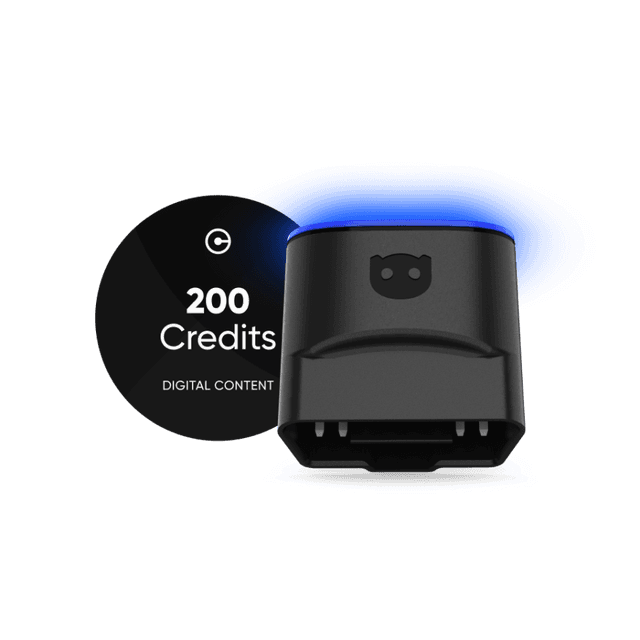
OBDeleven 3 device + 200 Credits
Includes OBDeleven 3 device and 200 Credits for unlocking car features with One-Click Apps
€114.99€91.99
20% OFF
Exclusive deal
Frequently asked questions
Can I use FORScan with OBDeleven's device?
No. OBDeleven's dongle runs on its own protocol and isn't on FORScan's supported adapter list. FORScan needs a purpose-built adapter, like the OBDLink EX or a similar wired unit. The two aren't interchangeable.
Which tool gives deeper Ford coding access?
FORScan. It reaches As-Built and module-level configuration data that OBDeleven doesn't currently expose for Ford. OBDeleven answers with One-Click Apps instead: pre-built, one-tap versions of the most popular tweaks, no coding knowledge required. If your modification exists as a One-Click App, OBDeleven gets you there faster. If it doesn't, FORScan is your only route.
Do I need a paid plan for basic Ford diagnostics?
Not with either tool. OBDeleven's FREE plan covers advanced diagnostics and live data for US-manufactured Fords, no subscription required. FORScan's Standard license is also free and covers reading and clearing codes. Paid tiers only matter once you want coding, configuration changes, or protected service functions.
Which adapter should I use with FORScan?
The FORScan team's own recommendation is the OBDLink EX: USB, wired, and built with full protocol switching. The OBDLink MX+ is the wireless option, and the vLinker FS is a cheaper wired alternative. However, you should do your own research on tools before getting the software.