#Tools & plans
Another way to verify your car's mileage is by checking the recent events in control units' Live Data. This function can show you when certain events occurred and at what mileage.
In the Brakes control unit, this information can be found under:
If you see that the mileage recorded in one of the events is higher than the dashboard mileage, the dashboard mileage has likely been changed. This method is effective for newer models in cases when the mileage has been adjusted recently.
Fraudsters will keep looking for new ways to hide real wear and tear. You can lower the risk by choosing your seller carefully and backing that choice with proper checks. Use these tips before you buy and you’ll sharply reduce the odds – and cost – of ending up with a car that’s hiding its true mileage.
Disclaimer: Advice, how-to guides, and car care tips on our blog are intended as helpful resources for general maintenance and repairs. While we strive for accuracy, the information is provided to the best of our knowledge and should be used at your own discretion and risk.
Always refer to your vehicle's owner's manual or consult a certified mechanic for specific repair details and safety procedures.
How to check a car’s mileage with OBDeleven


TL;DR: Want a faster way to spot mileage fraud? Use the OBDeleven Mileage check feature for Volkswagen Group (VAG) vehicles and BMW F and G Series. It pulls mileage from multiple control units and flags any suspicious mismatches for you.
If you’re buying a used car, checking the mileage properly is non-negotiable.
Why? Because mileage tells you how the car was used – and whether someone may have tampered with it. It’s not a rare occurrence by any means, as odometer fraud is still common in today’s used car market. In fact, Carfax data shows that when someone unknowingly buys a car with a rolled-back odometer, they lose around $4,000 in value on average.
In this guide, you’ll learn how to check car mileage with OBDeleven – using both the Mileage check feature and manual checks in Live data.
Spot odometer fraud with OBDeleven’s Mileage check
Mileage check is OBDeleven’s built-in app feature available with OBDeleven’s device. It’s one of the easiest ways to see if there’s something fishy going on with your odometer.
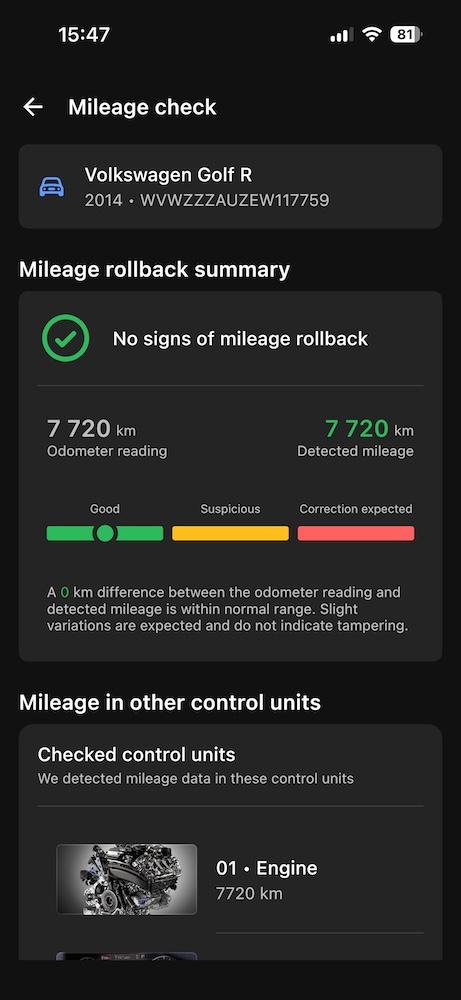
This feature helps avoid odometer fraud by reading data from several control units in your car, comparing the numbers, and alerting of possible rollback on supported Volkswagen Group vehicles and BMW F and G Series models.
With one scan, the app shows you:
- A color-coded verdict – green if readings look consistent, yellow if something seems off, and red if correction or rollback is likely.
- A short summary telling you whether the mileage appears genuine or possibly corrected.
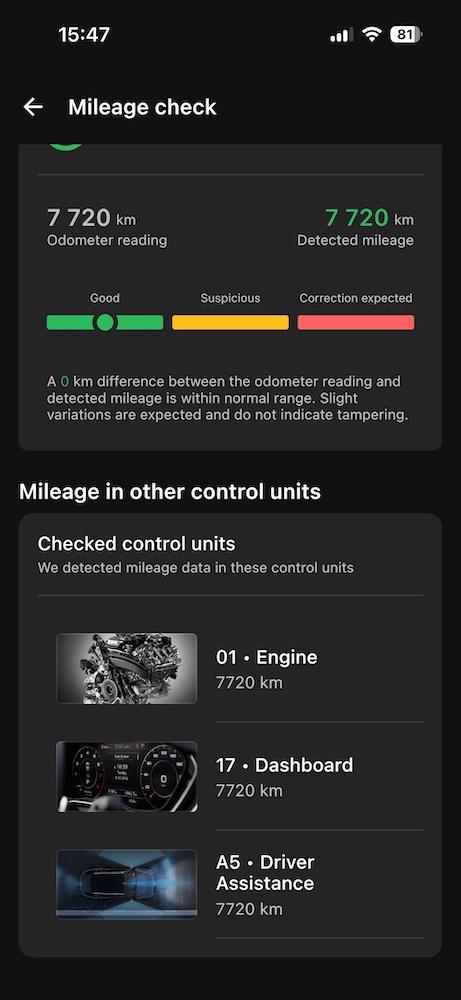
- A detailed list of mileage values from each control unit, so you can quickly see which module reports a different number.
But how does it get those results?
When you connect your OBDeleven 3 and start Mileage check, the app pulls stored mileage values from key modules – for example, the engine, transmission, steering assistance, and others. Then it lines those readings up side by side and looks for mismatches.
Why this matters: scammers often only change the number on the dashboard. If the cluster shows, say, 80,000, but other control units still store 140,000, those gaps are a strong hint for odometer tampering.
One thing to keep in mind – a mismatch doesn’t always mean fraud. It can also happen after a control unit has been replaced or reset. But it is a clear signal to ask more questions and investigate further before you buy.
How to use OBDeleven’s Mileage check
Here’s a step-by-step guide on how to run a Mileage check:
1. Plug your OBDeleven device into the OBD2 port and switch the ignition on.
2.From the "Home" or "Vehicle" section, select "Mileage check".

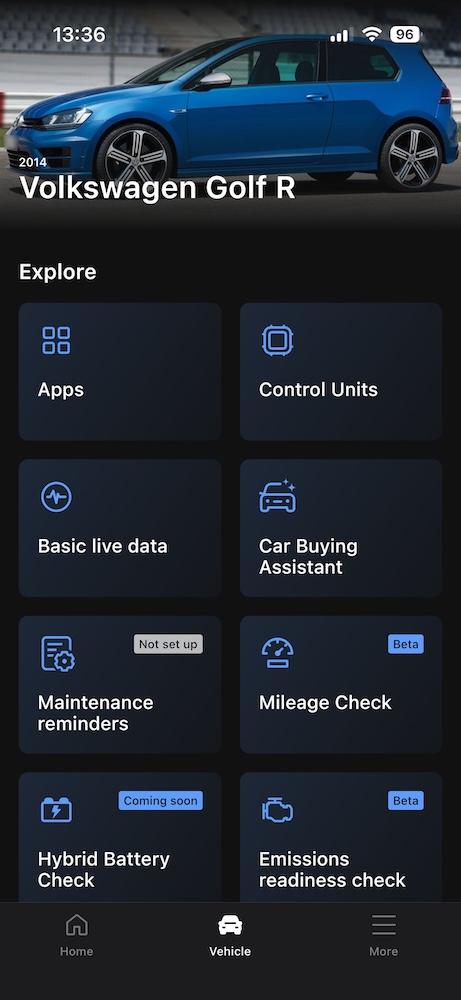
3. When the start screen appears, tap "Start mileage check".
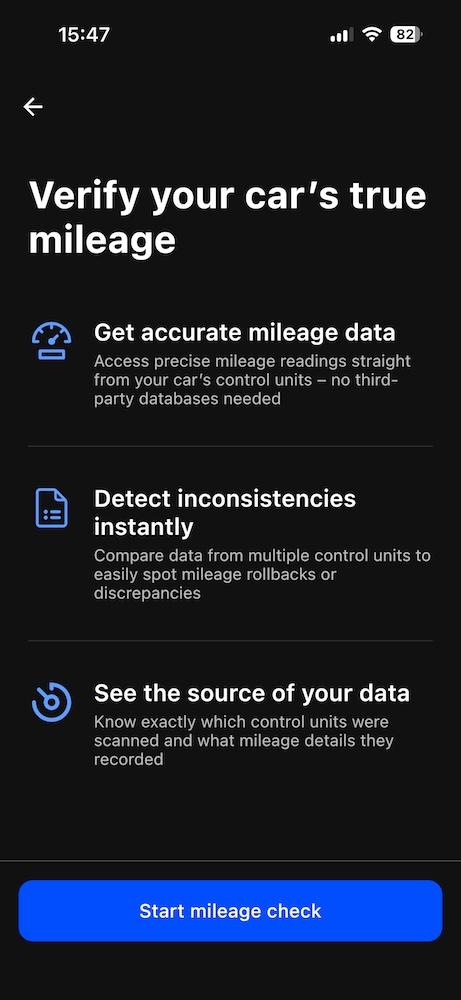
4. Wait for the data to load.
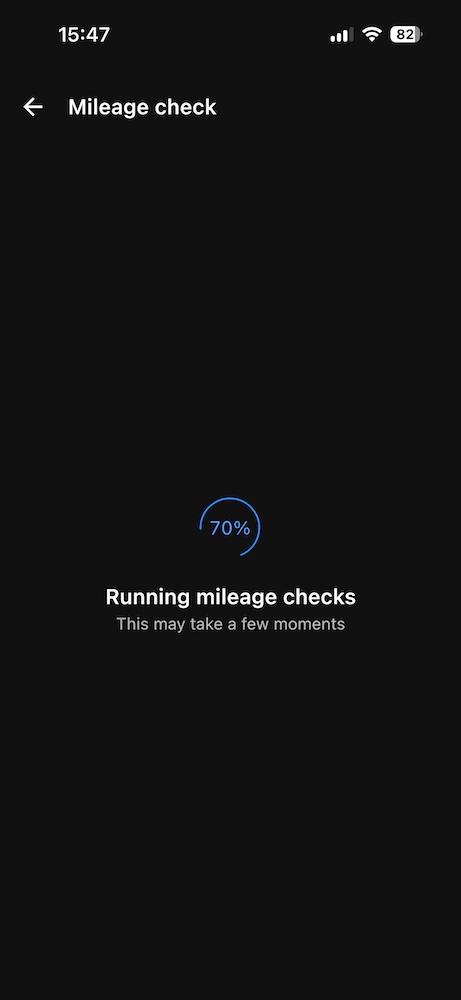
5. You’ll see the summary, mileage values, and all control units listed on the screen.
Manual ways of checking car mileage with OBDeleven
While Mileage check automates this process, you can still use OBDeleven to check values yourself. This can be done by exploring our app’s Live data feature in three different ways.
Note: The following methods work only with Volkswagen Group vehicles.
Checking car mileage with Live data
If you want to do it manually, you can verify mileage by cross-checking Live data parameters with your OBDeleven device.
In most cars, mileage is stored in the Engine, Transmission (if available), and Dashboard control units. Depending on the vehicle, you may also find it in other units.
Here’s how to check car mileage manually with OBDeleven:
- Plug the OBDeleven device into the OBD2 port and switch the ignition on.
- Open the OBDeleven app, connect to your car, and go to Control units.
- Select Engine, then open Advanced live data.
- Use the search bar and look for parameters with keywords like distance, mileage, or km in their name – for example vehicle distance driven, transmission mileage, or distance.
- Note the mileage value.
- Repeat steps 3–5 for Transmission (if present), Dashboard, and any other control units that show mileage.
If the mileage differs by a few hundred – or even a couple thousand – kilometers between control units, that’s usually normal. Small mismatches can happen because of how and when each unit logs data.
But if one control unit shows significantly lower or higher mileage than the others, that unit has likely been replaced.
Also pay attention to the dashboard. If the dashboard mileage is noticeably lower than what you see in other control units, it may have been altered without updating the rest. In most cases, the dashboard should show the highest mileage of all control units.
Further reading: How to read OBD live data
Look at working hours
For some vehicles, you can also find approximate working hours using the Live Data feature.
These can be stored in control units such as the Steering Assistance, Media (screen time), and others. Once you know the number of working hours, divide the dashboard mileage by the number of hours to get the car’s average speed.
A typical long-term average speed is around 50 km/h. If the calculated average speed is significantly lower, it can mean one of two things – potential odometer tampering or that the car has spent most of its time in city traffic, which usually means more wear and tear. If it’s much higher, the car was likely driven mostly on highways.
If the average speed and the mileage don’t match the seller’s story, that’s a sign to dig deeper.
Track mileage by recent events
Another way to verify your car's mileage is by checking the recent events in control units' Live Data. This function can show you when certain events occurred and at what mileage.
For instance, in the Engine control unit, you can find mileage saved in the various Live Data tabs, such as:
- Number of prevented stop processes
- Number of requested start processes
In the Brakes control unit, this information can be found under:
- Counter steer control
- Tire pressure monitoring display
This area stores up to the last four adaptations of the tire pressure monitoring system, along with the mileage recorded when each message was shown. If the car supports this feature, you can sometimes see a few years of mileage history here.
If you see that the mileage recorded in one of the events is higher than the dashboard mileage, the dashboard mileage has likely been changed. This method is effective for newer models in cases when the mileage has been adjusted recently.
Use freeze frame data
Once you’ve done a diagnostic scan, you can see the mileage at which each fault was recorded.
If the mileage in a fault’s freeze frame is higher than the mileage shown on the dashboard, the dashboard mileage has likely been adjusted. This method only works if there are faults that occurred before the mileage adjustment and haven’t been deleted – but when it works, it’s a strong red flag worth taking seriously.
Further reading: What is freeze frame data?
Wrapping up
Mileage verification shouldn’t be a guessing game. With OBDeleven, you can cross-check mileage across control units in Live data, review working hours and recent events, or use the OBDeleven Mileage check feature for a faster, automated check.
Fraudsters will keep looking for new ways to hide real wear and tear. You can lower the risk by choosing your seller carefully and backing that choice with proper checks. Use these tips before you buy and you’ll sharply reduce the odds – and cost – of ending up with a car that’s hiding its true mileage.
Disclaimer: Advice, how-to guides, and car care tips on our blog are intended as helpful resources for general maintenance and repairs. While we strive for accuracy, the information is provided to the best of our knowledge and should be used at your own discretion and risk.
Always refer to your vehicle's owner's manual or consult a certified mechanic for specific repair details and safety procedures.


Dispositivo OBDeleven 3
Diagnostica illimitata gratuita e dati in tempo reale per chi guida ogni giorno – funziona senza abbonamento
€84.99
Non è richiesto un piano a pagamento