#Buying a car
Look for cars that meet your requirements and compare them. Check their mileage, year, price, and history. If a car's mileage is much lower than the typical mileage you found in Vehicle lookup, ask the seller about it and use OBDeleven's Mileage check on supported vehicles or compare it with service records.
How to buy your first car: step‑by‑step guide


TL;DR: Set your budget, research the car, check its history, but most importantly, inspect it thoroughly to avoid expensive repairs. OBDeleven makes this simple by guiding you through the entire inspection on your phone.
Buying your first car is an exciting new step, but it can be a headache to know what to look for. A used car can be a great way to find something that fits your needs without spending more than you can afford. However, a used car comes with a history, so it’s important to know about any previous accidents, repairs, or hidden defects before you buy.
While simple VIN checks can provide valuable information, they only show what has been reported, such as registered accidents or ownership changes. Stored fault codes, electronic issues, or a tampered odometer won't appear there. To find those, you need to check the car's internal systems, which is something you can do with an OBD2 diagnostic device.
Below, we’ll show you how to use an OBD2 diagnostic device, what to expect from the car-buying process, and how to find out as much as possible about your potential purchase.
1. Set your budget and decide what car you want
First of all, you need to go through the obvious steps, such as setting your budget and defining your needs. When setting your budget, remember that the purchase price isn’t the only cost you’ll have to pay, and account for ongoing costs such as fuel, maintenance, and insurance. A car insurance calculator can help you estimate potential insurance costs.
After that, consider your car needs. Do you want a manual or automatic gearbox? Petrol, diesel, or hybrid? Do you need a larger car, or will a compact hatchback do just fine? Think about how much cargo space you need, how many passengers will usually travel, and whether you plan to drive in the city or on more challenging roads.
2. Start researching cars
Once you know your budget and what you need from your vehicle, start researching cars that fit your requirements. Look at safety ratings, online reviews, fuel efficiency, maintenance costs, and common problems for the model you’re considering.
OBDeleven's Vehicle lookup can help with this step. In the app, go to "Car inspection" > "Vehicle lookup" and enter the make, model, and year of the car you're interested in. You'll see the typical mileage for that car and learn about issues that are common for that make and model, so you know what to watch out for before you start looking at listings.
You should also check the vehicle’s market value to get an idea of what a fair price looks like. This research can help you narrow down your options before you start contacting sellers.
Note: A price that seems too good to be true, or one that's well above market value, can already be a red flag. We've covered this and other common warning signs in our guide on the most common red flags.
3. Find listings and arrange meetings
Look for cars that meet your requirements and compare them. Check their mileage, year, price, and history. If a car's mileage is much lower than the typical mileage you found in Vehicle lookup, ask the seller about it and use OBDeleven's Mileage check on supported vehicles or compare it with service records.
Once you’ve narrowed down your choices, contact the sellers and ask them a few questions to learn more about their car. Here are a few questions that can provide you with valuable information:
- How long have you owned the car, and why are you selling it?
- Do you have service records or receipts?
- When did you last change the oil, transmission fluid, and coolant?
- How old are the tires, and how much tread is left?
- When was the battery last replaced?
- Has the car had any accidents or major repairs?
- Are there any aftermarket modifications?
- Are there any known problems or warning lights?
If the car still seems like a good option, arrange a time to see it in person. Ask the seller not to drive or warm up the car before you arrive, as a cold start can reveal problems that are harder to notice once the engine is warm, such as rough idling, unusual noises, or smoke from the exhaust.
Before going to a viewing, consider getting help from someone who knows cars or bringing an OBD2 diagnostic device such as OBDeleven. The small electronic device plugs into the car’s OBD2 port and can help you check its electronic systems for stored fault codes, so you can find issues the seller may not mention or even know about. You don't need any technical knowledge, as the app guides you through each step.
Note: Check which OBDeleven features are available for your car's make and model before your viewing.
4. Run a car inspection
OBDeleven's Car inspection feature is designed to help buyers check a vehicle’s condition before buying. Its Automatic scan gives you three useful insights in one go:
- Fault check: scans the engine and available control units and shows any stored fault codes.
- Mileage check: on supported vehicles, it compares mileage data stored in several control units and tells you whether the mileage appears genuine or corrected. This matters because odometer fraud is hard to spot by eye, and according to Carfax, buyers of rolled-back cars lose an average of $4,000 in value.
- Emissions readiness check: shows whether the car's emissions-related systems are ready, which can also hint at recently cleared fault codes and help you avoid buying a car that may fail its next technical inspection.
Before plugging anything in, ask the seller for permission, although most sellers with nothing to hide won't mind. Here's how to run the scan:
- Insert the OBDeleven device into the car’s OBD2 port and turn on the ignition without starting the engine. The OBD2 port is usually found under the dashboard on the driver's side.
- Open the OBDeleven app and connect your smartphone to the device.
- Follow the app’s instructions to connect to the vehicle you’re inspecting.
- Go to “Car inspection” > “Automatic scan” and follow the in-app instructions.
- When the scan is complete, the app generates a Car health report with the detected faults, mileage, and emissions readiness. Pay particular attention to faults related to the engine, transmission, ABS, or other important systems.

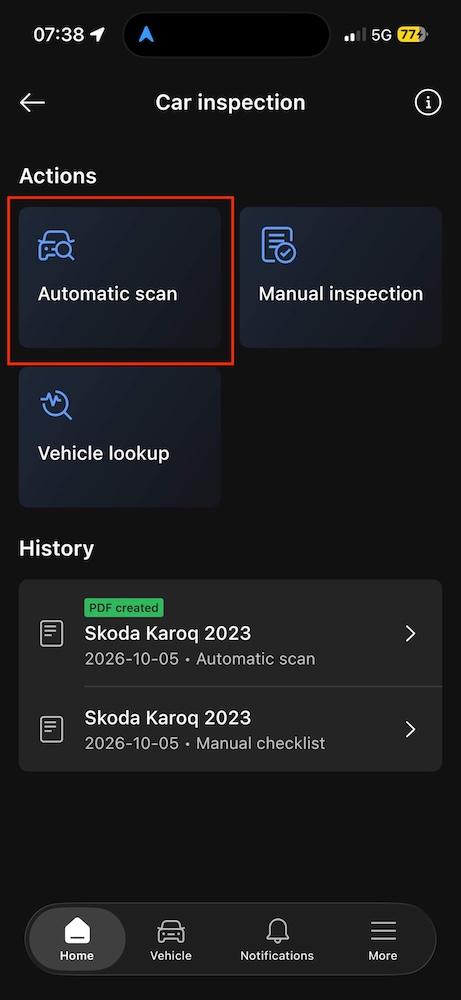
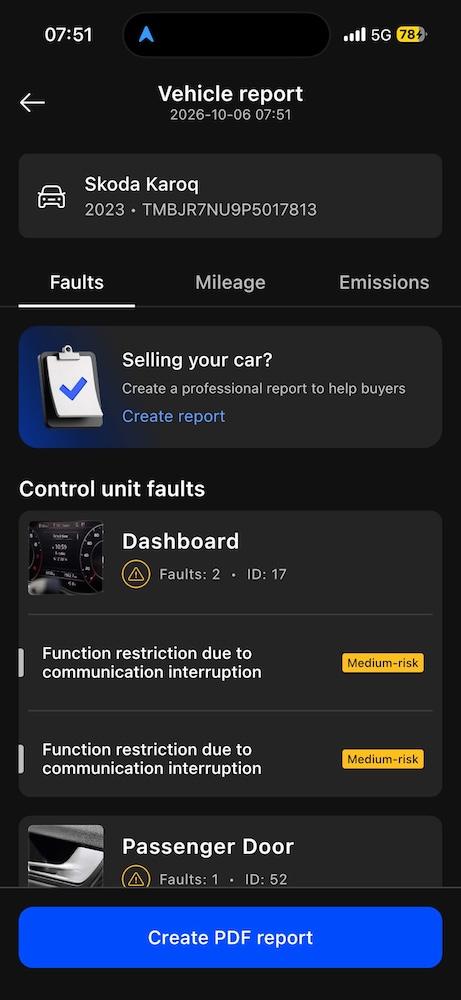
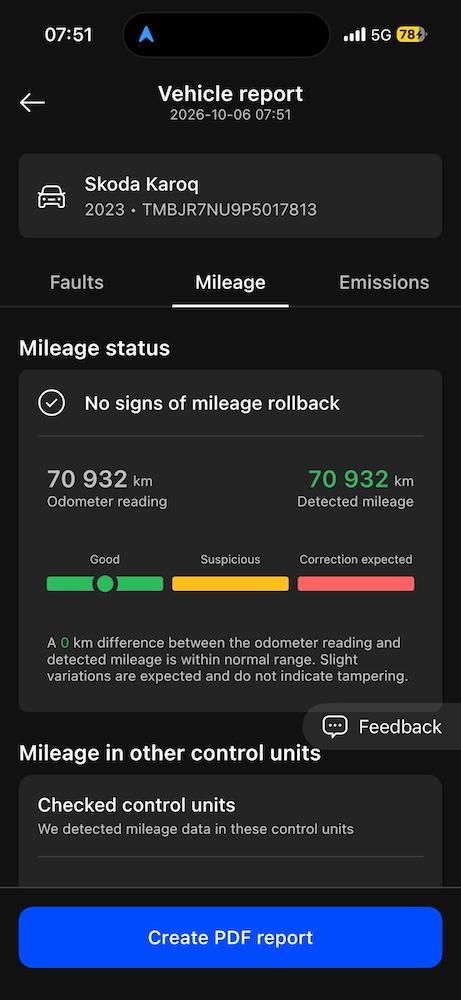
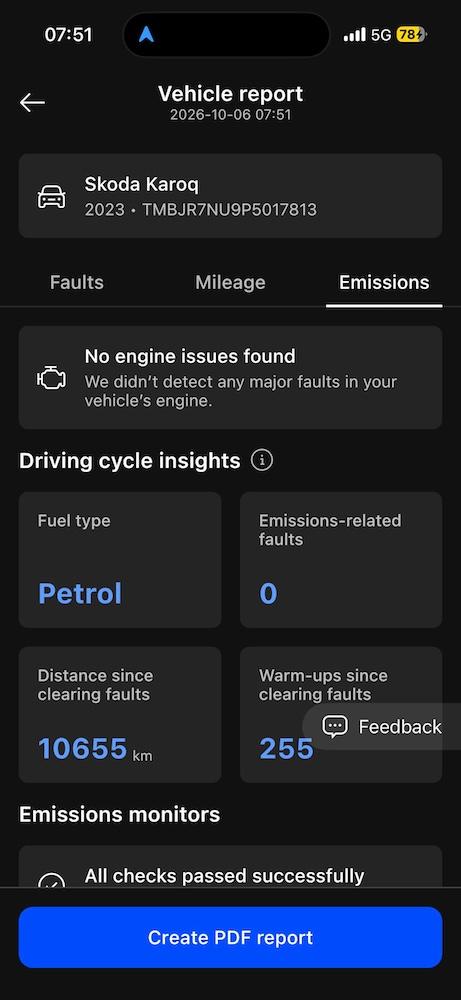
You can export the Car health report as a PDF or share it via a link, which is handy if you want a mechanic or a more experienced friend to take a look before you decide.
Keep in mind that fault codes can have different causes and don’t necessarily mean that there is a serious problem. However, if the scan reveals something you’re unsure about, have the car checked by a professional mechanic.
Note: If you’re unsure what a fault code means, we have prepared an article on the most common fault codes and what they mean.
5. Inspect and test drive the car
OBDeleven can help you with this part of the process too, as its Car inspection feature also includes a checklist to help you spot visible defects and assess how the car drives. Here's how to use it:
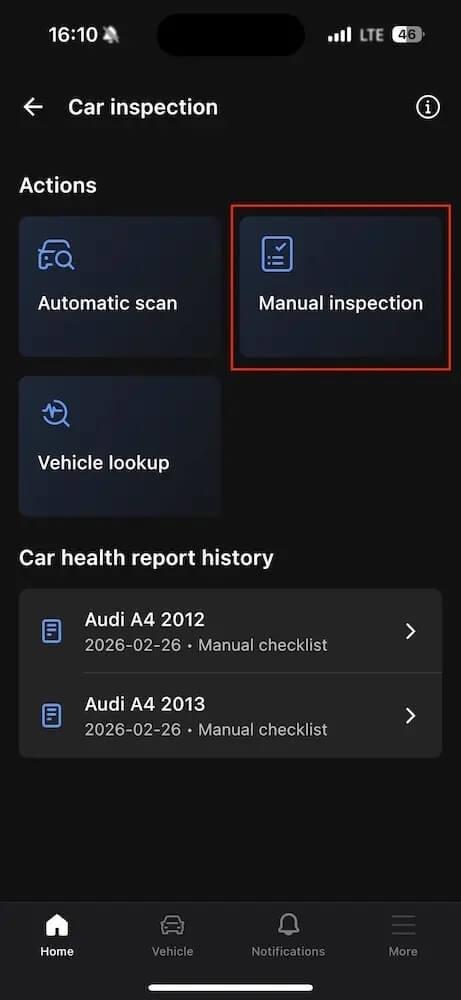
- From the OBDeleven app home screen, go to “Car inspection” and select “Manual inspection.”
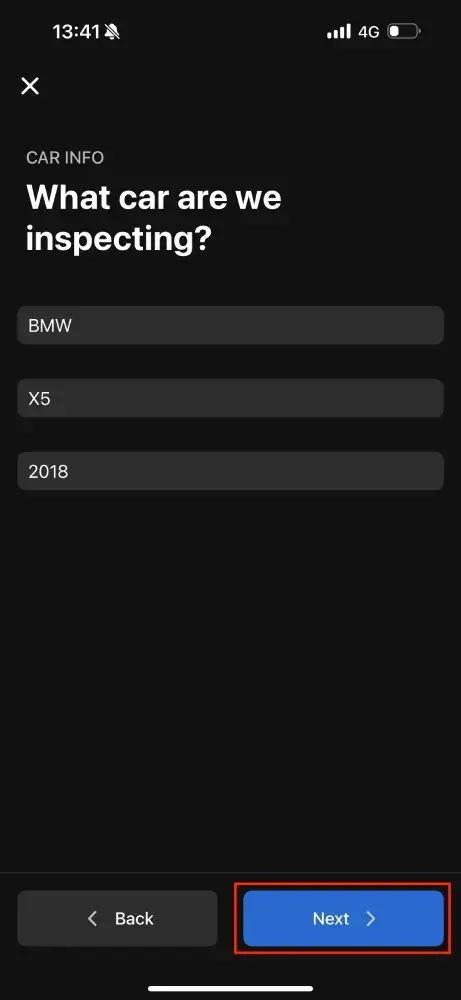
- Enter the make, model, and year of the car and tap “Next.”
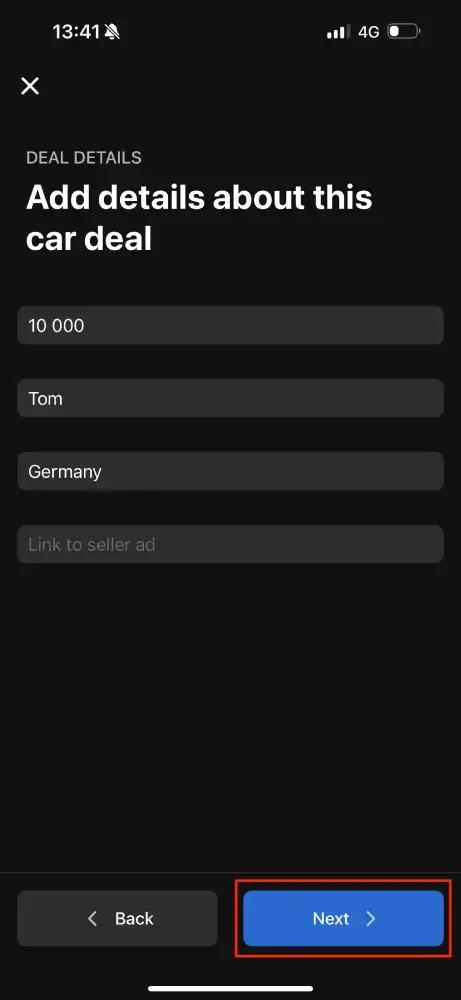
- Enter details about the car sale, such as its price, location, and seller information, and tap “Next.”
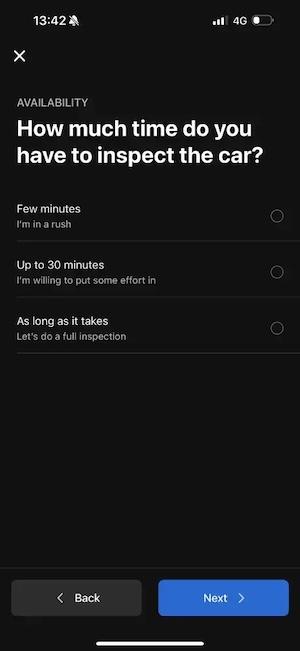
- In the following step, choose how much time you have for the inspection and tap “Next.” The more time you have, the more detailed the questions will be.
- Then, follow the prompts and answer questions about the exterior and interior.
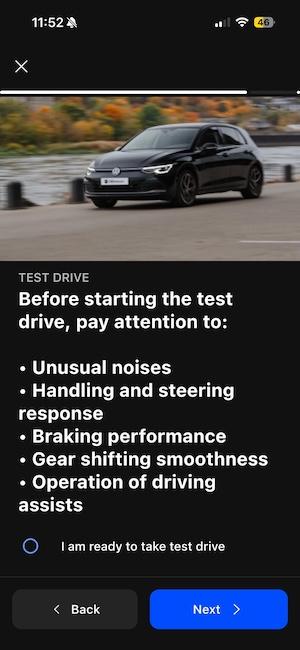
- After this, you will be guided through a checklist for a test drive. It’s best to start with a cold engine, as it will make flaws more visible.
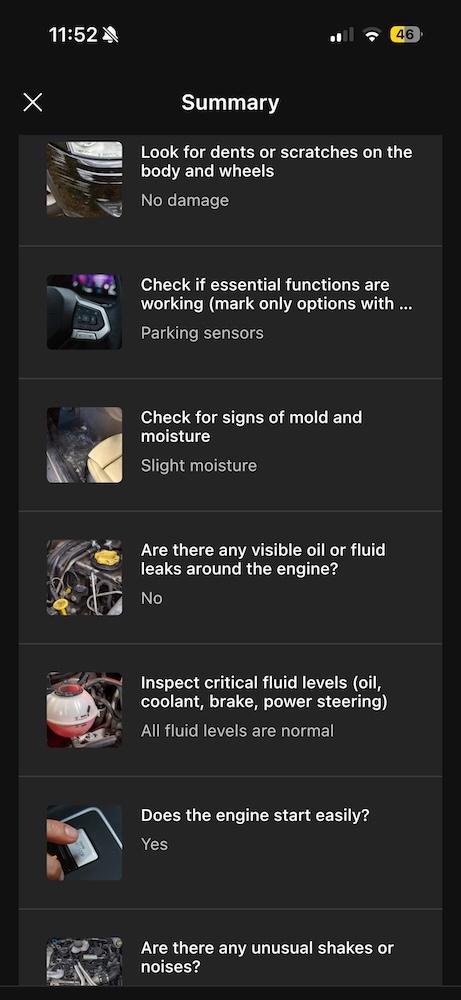
- Once you’re done with both the manual inspection and test drive, you will see a summary of all your findings in the app.

6. Compare your findings and make a decision
If you viewed more than one car, compare them side by side. Look at each car's Car health report, manual inspection summary, and your personal notes. Also consider how you felt driving each car, its fuel efficiency, condition, and expected future costs.
If you found issues that could require maintenance or repairs, use them when negotiating the price. A Car health report gives you concrete evidence to point to, which makes your case stronger than simply saying something feels off.
7. Complete the purchase
Once you’ve found the right car, it’s time to complete your purchase. Before handing over any money, make sure the paperwork actually belongs to the car you're buying. Compare the VIN in the registration documents with the VIN on the car itself, which you can usually find at the base of the windshield on the driver's side and on a sticker inside the driver's door frame. If the numbers don't match, don't go ahead with the purchase.
Make sure you have everything you need from the seller, such as a spare set of keys and all the paperwork, before driving away.
If you’re financing the vehicle, carefully review the contract and check the purchase price, down payment, monthly payment, interest rate, and any extra fees before signing.
8. After the purchase
Once the car is yours, OBDeleven doesn't stop being useful. A few features are especially helpful for first-time car owners:
- Regular diagnostic scans: check for new or stored fault codes from time to time, so you can spot potential problems before they turn into expensive repairs.
- Maintenance reminders: set reminders for oil changes, services, and other upkeep so nothing slips through the cracks, which is easy to do in your first year of ownership.
- Trip tracker: keep a record of your trips, which helps you understand how much you drive and plan fuel and maintenance costs.
- Emissions readiness check: the same check you used during the viewing can tell you whether your car is ready for its next emissions or technical inspection.
- One-Click Apps: if you drive a Volkswagen Group, BMW Group, Toyota Group, Mercedes-Benz Group, or US-made Ford vehicle, you can customize comfort and convenience settings, for example, enabling mirror folding or adjusting lighting. enabling mirror folding or adjusting lighting.
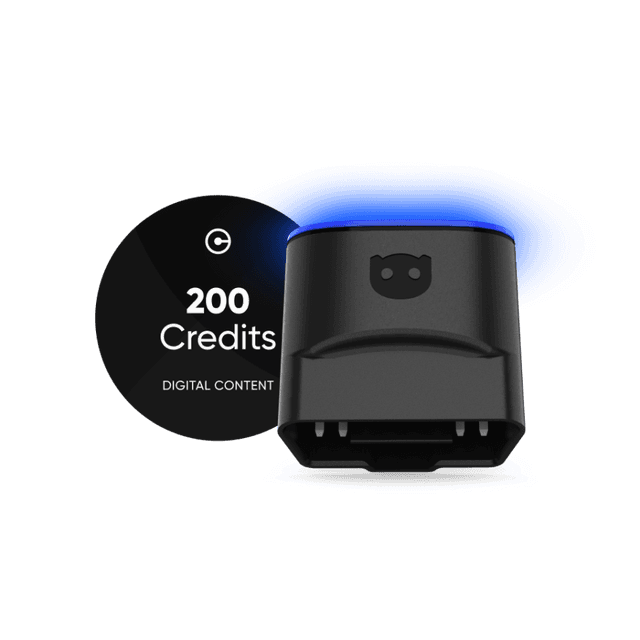
OBDeleven 3 device + 200 Credits
Includes OBDeleven 3 device and 200 Credits for unlocking car features with One-Click Apps
€114.99€91.9920% OFFExclusive deal