#Coding & customizations
The 10 best BMW One-Click Apps to try in 2026


TL;DR: The most popular BMW One-Click Apps in OBDeleven’s library are the ones adding convenience and style functions, such as anti-dazzle headlights or ambient lighting adjustments.
Ever had someone smash your trunk so hard it made your teeth rattle?
Hopefully not, but...
...that’s one painful experience that can be easily prevented with a quick adjustment.
That is where OBDeleven’s One-Click Apps come in. BMW hides a surprising number of useful features in its software, like soft closing the trunk lid or enabling anti-dazzle headlights.
In this blog post, we reviewed the most loved BMW One-Click Apps to show which customizations BMW drivers actually use and enjoy, and to help new users discover what’s possible.
What are One-Click Apps?
If you’re new to OBDeleven, you might not be familiar with One-Click Apps and their purpose.
So, let us give you a quick rundown.
One-Click Apps are pre-coded vehicle customizations created by OBDeleven. There are thousands of One-Click Apps for a variety of car brands, including BMW.
Typically, One-Click Apps fall into one of the three categories, based on their purpose:
- Adjustments. Allow you to enable or disable specific comfort features.
- Retrofits. Allow you to adapt additional vehicle parts after they’ve been installed.
- Workshops. Allows performing maintenance tasks (e.g., reset lights after a service).
One-Click Apps usually require Credits (in-app currency) to activate, and their availability depends on your car’s model and year. You can check out our customizations page to see what One-Click Apps are available for your specific car.
Why BMW drivers love One-Click Apps?
One-Click Apps are extremely popular among BMW drivers because they deliver quick, noticeable improvements across all the areas that matter day to day.
Comfort
These features are all about how your BMW feels to sit in and use every day – the lighting, the way the car closes, how the interior behaves when you drive or park.
Safety
Safety-related One-Click Apps focus on how the car communicates with you and help the existing systems work in a more driver-friendly way.
Style
Style One-Click Apps do not adjust the way the car drives, but change the aesthetics on screen, in the cluster, and interior overall.
Daily convenience
Daily convenience features reduce the small bits of friction you deal with every time you drive – the extra taps or the car not quite behaving how you prefer.
Best BMW One-Click Apps to try
Among thousands of BMW One-Click Apps, OBDeleven users have their favorites. Let’s see them in detail.
1. Xtraboost mode

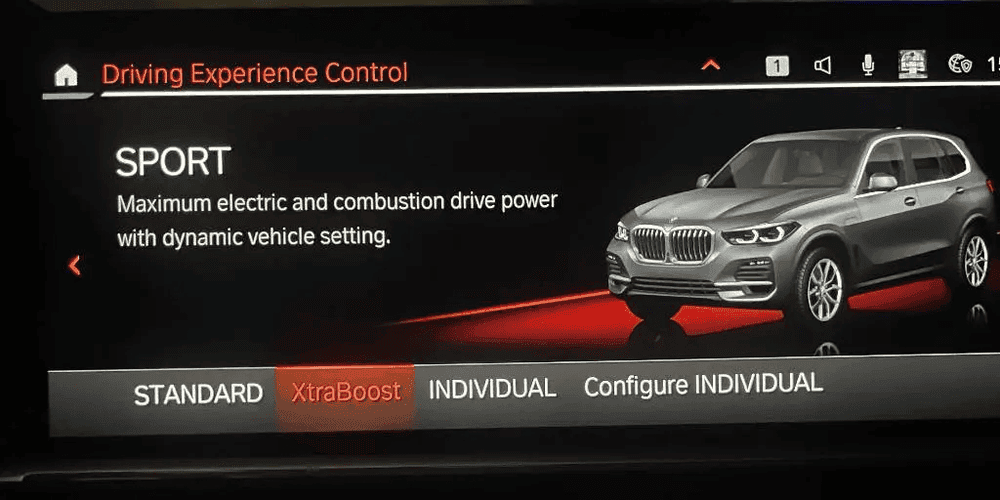
When traffic is moving quickly and you need a short burst of power to safely slot into the lane, Xtraboost can be extremely helpful.
Xtraboost One-Click App activates the electric motor and the engine at full strength to give you extra power for a short period of time to help the car speed up quickly.
Why BMW drivers love it:
It makes hybrid cars feel more alive. Drivers get noticeably stronger throttle response, ideal for quick overtakes or highway merging. It is one of the most impactful performance apps in the OBDeleven BMW catalog.
Compatibility: Available for selected models with the ‘Plug-In Hybrid’ version.
2. Ambient lighting (multiple variations)
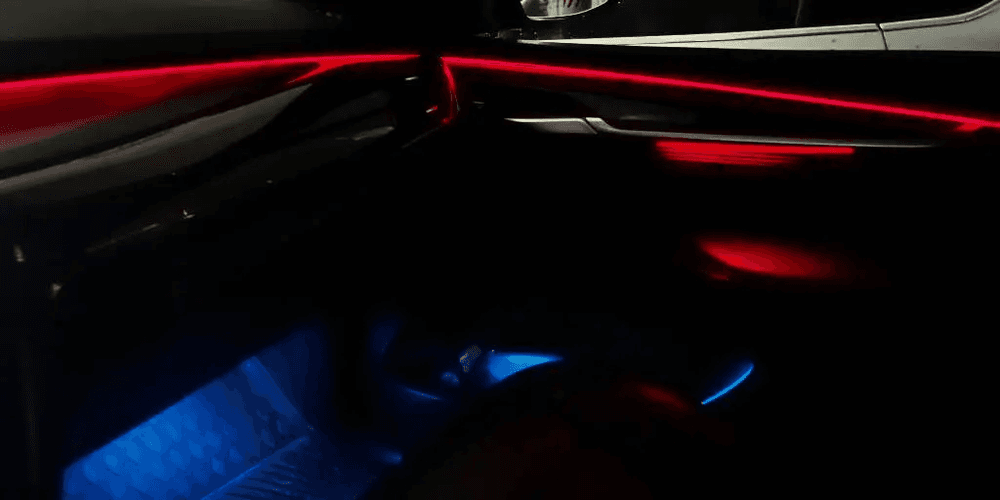
There are multiple apps for BMW that allow you to change interior ambient lighting. You can find variations like Sporty tech (red and blue lighting), rainbow mode (cycles through colors), or a selected pair of colors. It allows you, as a driver, to pick the color based on the time of day or your preference.
Why BMW drivers love it:
It gives the cabin a more modern and customizable look. Many drivers use it to match their exterior color or create a mood that fits night driving.
Compatibility: Available for selected models with the Ambient Lighting package (S4URA).
3. M View style cluster
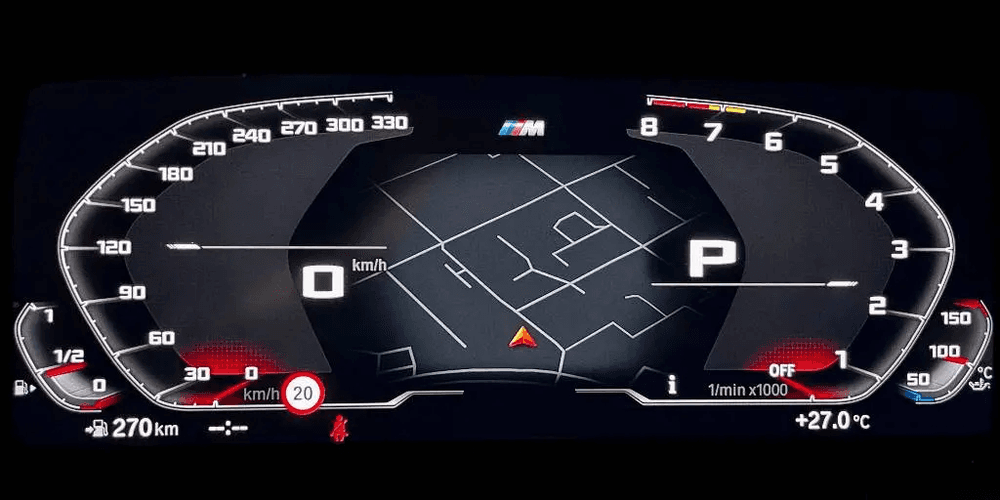
Standard cluster view can be a little cluttered or simply doesn’t fit your vibe. M view style cluster One-Click App changes the instrument cluster to the M style layout familiar to BMW M models.
It has a bigger scale of speed (330 kph instead of typical 260kph), displays oil temperature, and you’ll see an M logo animation when exiting or locking the vehicle.
Why BMW drivers love it:
You get a sportier, cleaner cluster design without driving an M model car. Many drivers consider this the biggest visual upgrade for their cockpit.
4. Vehicle body style
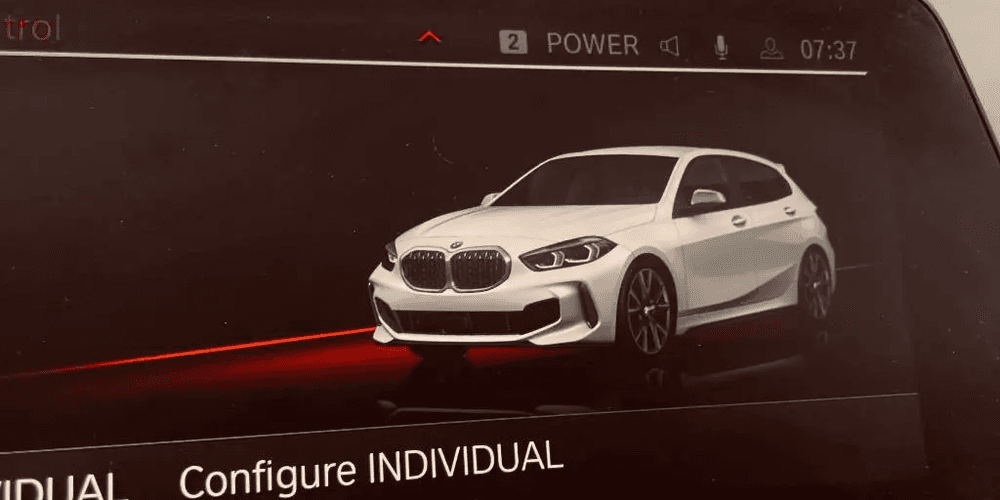
Tired of generic? Updating the car’s body style in multimedia can help you create a cleaner, more premium look inside.
The vehicle body style app adjusts the visual representation of your vehicle inside the multimedia system and instrument cluster to better match the actual car or improve the on-screen look.
Why BMW drivers love it:
It adds a small but satisfying experience boost. The selected styling can make the interface feel more personalized.
Note: Sometimes the body style in the instrument cluster changes only after the vehicle’s been asleep (locked for at least 15minutes).
5. M Shift lights
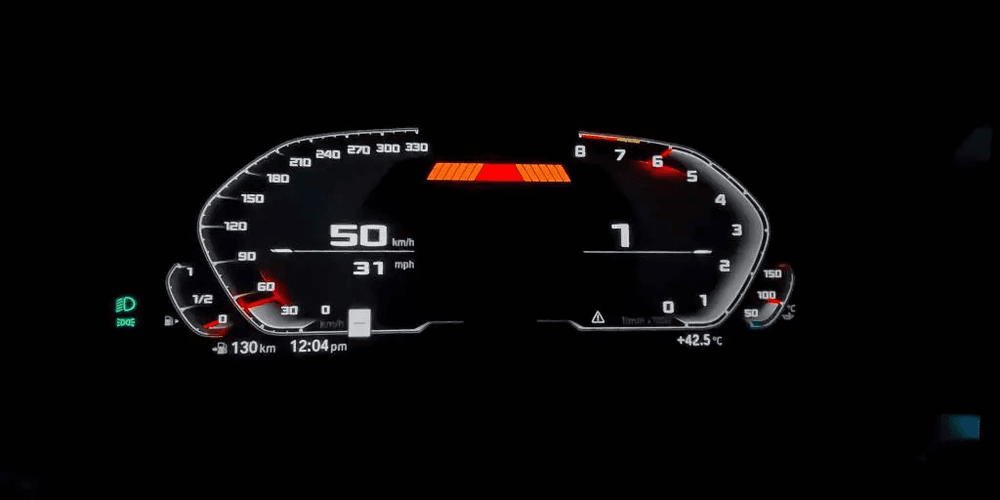
The M shift lights One-Click App adds RPM shift lights to the instrument cluster – as your RPM grows, the lights on your cluster illuminate to give you a visual cue for the ideal shift point.
This means that you can shift with more precision while still remaining engaged with the road.
Why BMW drivers love it:
It improves driver engagement, especially for manual and sport mode use. The visual cue makes driving more intuitive and helps keep eyes on the road.
6. Cluster speedometer scale
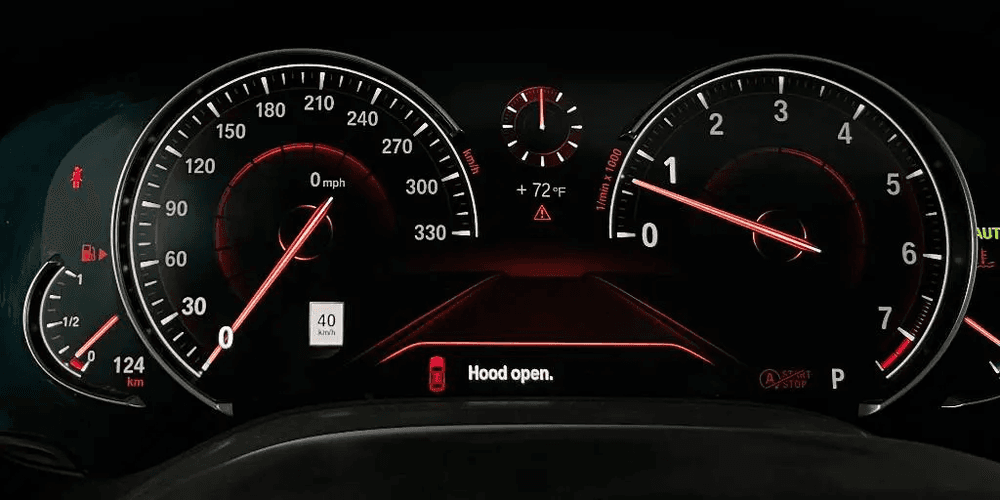
If you frequently drive in unrestricted-speed zones (like Autobahn), you can improve your sense of speed with cluster speedometer scale One-Click App. This app adjusts the speedometer scale from 260 km/h to 330 km/h on supported instrument clusters.
Why BMW drivers love it:
It creates a more performance-oriented look similar to BMW’s high output models. Drivers often combine it with the M View cluster for a full visual upgrade.
7. Anti-dazzle headlights
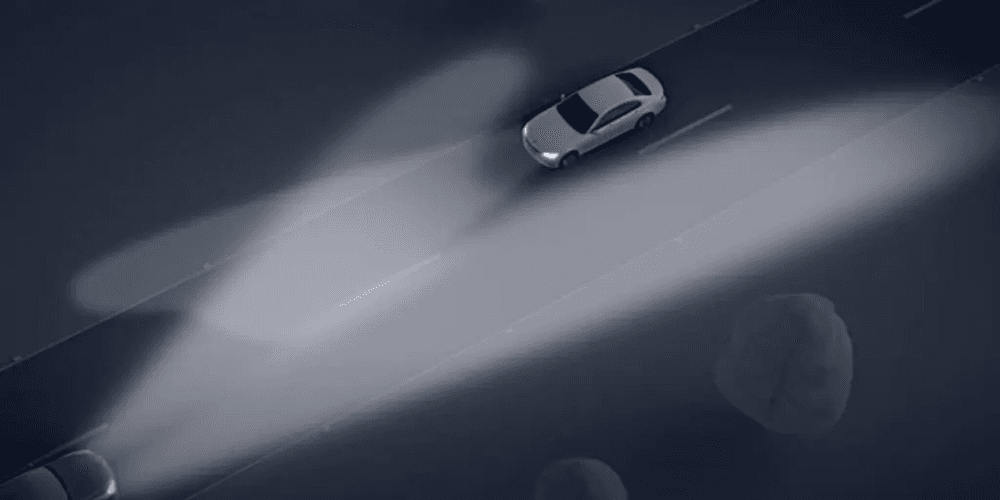
When driving at night, you’d normally switch between high and low beams manually to avoid blinding oncoming traffic.
With anti-dazzle headlights One-Click App activated, the adaptive headlights automatically shape the light pattern around other cars. This means that you can avoid blinding other drivers while maintaining the maximum possible illumination.
Why BMW drivers love it:
Night driving becomes safer and more comfortable. The system automatically adjusts to traffic, giving the best lighting without manual input.
Compatibility: The vehicle must be equipped with Adaptive LED headlights (S552A), High-Beam Assist (S5ACA), and a KAFAS camera on the windshield.
8. Vehicle color
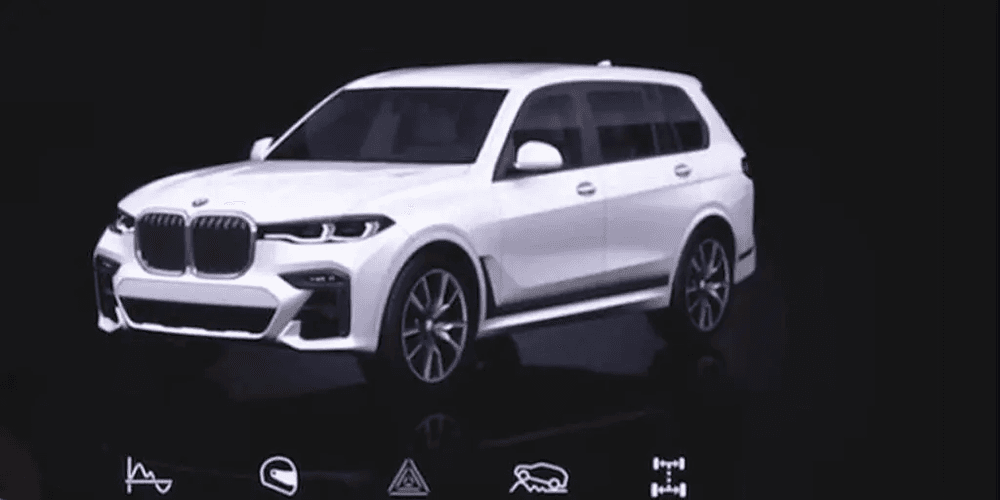
The vehicle color One-Click App changes how your car is displayed in the multimedia by letting you adjust the exterior color of your BMW in the system and dashboard animations.
Updating the vehicle color makes the cabin visuals consistent with your real car or your personal preference. This change is especially noticeable in startup animations and parking views.
Why BMW drivers love it:
It is a fun visual personalization feature. Drivers often set it to match a new wrap, paint correction, or just a preferred color. It’s often combined with the Vehicle body style One-Click App.
9. 2WD mode
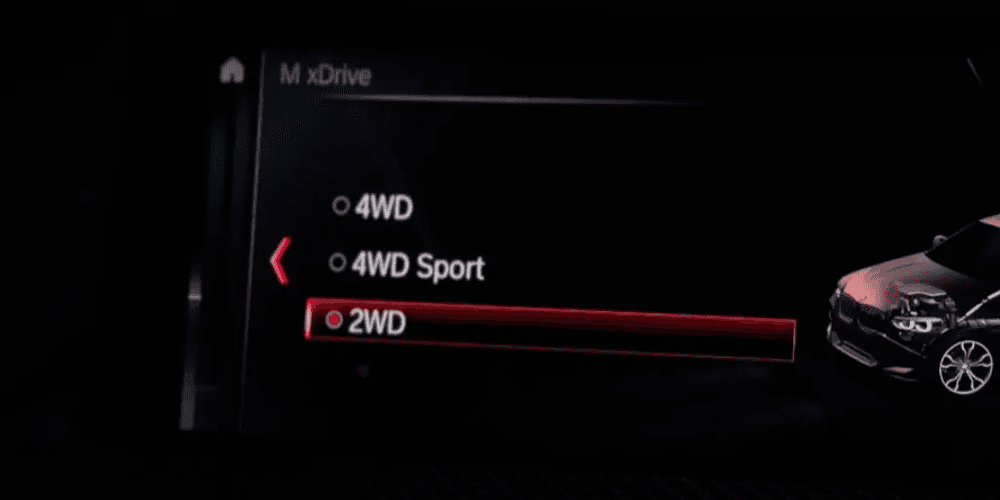
If you enjoy a sportier drive, 2WD mode One-Click App is for you. This app enables the 2-wheel drive selection mode in the multimedia system, allowing you to switch from Xdrive (4x4) to 2WD.
This means that supported BMWs can switch the drivetrain display to a rear-wheel-drive style mode without changing the actual hardware.
Why BMW drivers love it:
It’s popular among enthusiasts who prefer a sporty, more dynamic feel or simply want the interface to reflect their preferred driving characteristics.
Note: Fully turn off the traction control, so that the selection of 2WD becomes available.
10. Soft close tailgate
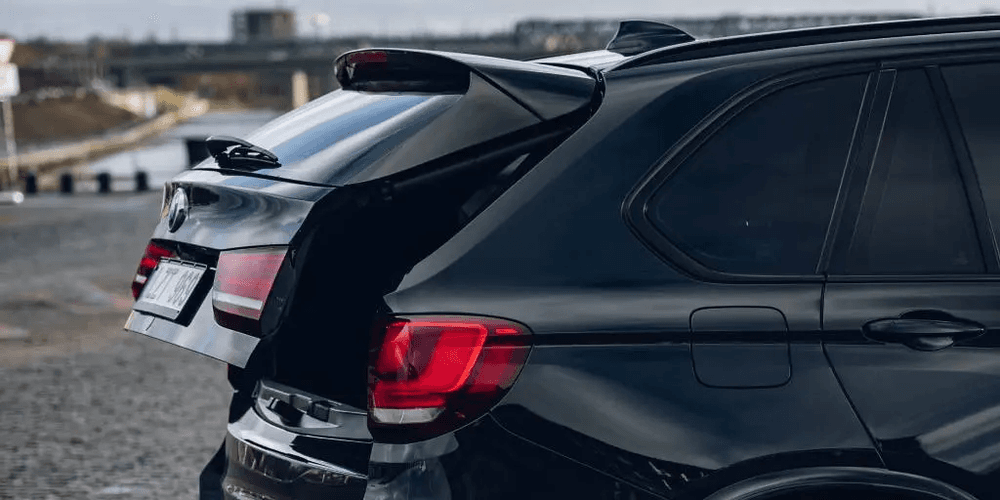
No more smashing of the trunk. Enable Soft close tailgate One-Click App to let it pull itself shut gently. This is especially useful if your hands are full, or you’re trying to prevent others from hard closing your trunk.
Why BMW drivers love it:
It adds a level of convenience and sophistication. The trunk closes smoothly without needing force or slamming.
Compatibility: Your vehicle must be equipped with a soft close mechanism.
How to use One-Click Apps on BMW
One-Click Apps usually require Credits to work, but you can use them for free with the ULTIMATE plan.
Here's to activate hidden features on your BMW:
- Plug the OBDeleven 3 tool into your car’s OBD2 port.
- Connect your vehicle to the OBDeleven app.
- Go to “Apps” to see what One-Click Apps are available for your model.
Customize your BMW with OBDeleven
BMWs hide a huge amount of customizable software features, and OBDeleven makes unlocking them simple. Go on and try out the most popular BMW One-Click Apps or explore something completely unique to you.
Let your BMW do more with the features it already has built in.

100 Crédits
Ajoutez 100 Crédits à votre compte pour activer des One-Click Apps différentes
€17.99