#Tools & plans
Best OBD2 scanners in 2026: A complete buying guide


TL;DR: Our top pick is OBDeleven 3 for easy app-based diagnostics, VAG coding, official licensing, and pre-coded customizations. Choose BlueDriver for simple code reading and repair reports, Autel MaxiCOM MK808S for all-round diagnostic tablet features, Innova 5610 for hybrid/EV support, and Launch X431 CRP919XBT for serious DIY enthusiasts who want near-professional features.
There’s no single best OBD2 scanner for every driver. A €30 code reader may be enough to clear a check engine light, but if you want full-system diagnostics, live data, service functions, coding, and app-based customizations, you’ll need a more capable tool.
In this guide, we compare five strong OBD2 scanners for DIY drivers in 2026: OBDeleven 3, Autel MaxiCOM MK808S, BlueDriver, Innova 5610, and Launch X431 CRP919XBT. We chose them based on what DIY users usually care about most – vehicle coverage, diagnostic depth, live data, service functions, coding options, ease of use, and price.
Overall, OBDeleven 3 is our top choice for app-based diagnostics and easy customization features. But if you want guided repair reports, a standalone handheld scanner, or a more advanced tablet-style tool, there are other options worth considering too.
Best OBD2 scanners in 2026: top picks
Here's a quick glance at the best OBD2 scanners for different DIY needs:
| Scanner | Best for | Current price | Key features | Vehicle compatibility | Connectivity |
| OBDeleven 3 | Easy app-based advanced diagnostics and coding | €84.99 |
|
|
Bluetooth app + dongle |
| Autel MaxiCOM MK808S/
MK808Z
|
All-round diagnostic tablet | Around $479.00, depending on seller and promotion |
|
|
Tablet + cables |
| BlueDriver | Simple code reading and repair reports | $129.95 |
|
|
Bluetooth app + dongle |
| Innova 5610 | Handheld DIY diagnostics | Around $349.99, depending on seller and promotion |
|
|
Handheld |
| Launch X431 CRP919XBT | Serious DIY enthusiasts | $439.00, depending on seller and promotion |
|
|
Bluetooth / tablet-style |
1. OBDeleven 3 – best for app-based advanced diagnostics & easy coding options
TL;DR: OBDeleven 3 is the best app-based choice for most drivers. It combines advanced diagnostics on supported models, live data, One-Click Apps, and various handy ownership features in a compact Bluetooth device.
Best for: UX-friendly app-based diagnostics, Volkswagen Group coding and adaptations, and pre-coded customization features. Perfect for users who value recognition – OBDeleven 3 is licensed by Volkswagen, BMW, Toyota, Mercedes, and Ford (US) Groups.
Price: One-time payment of €84.99. Pre-made customizations, known as One-Click Apps, require in-app Credits starting from €1.99.

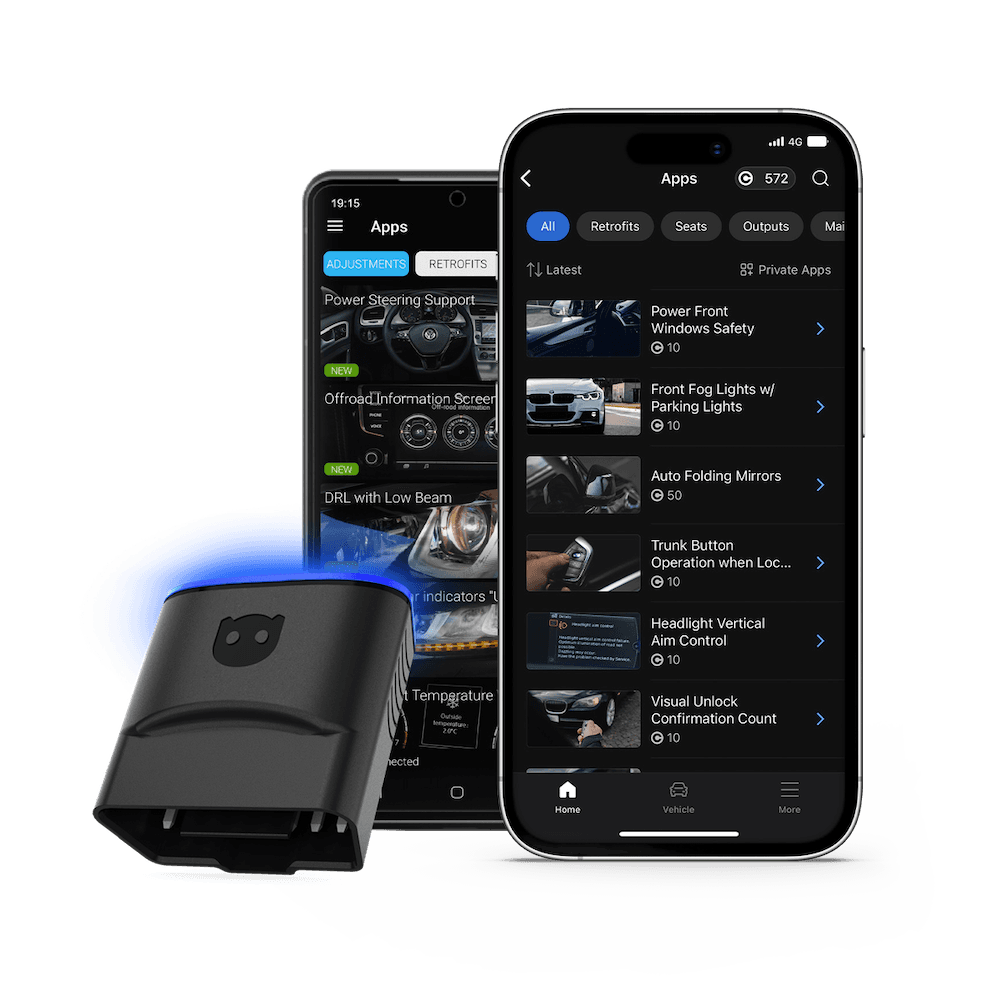
OBDeleven 3 is a Bluetooth-enabled OBD2 scanner that turns your smartphone into a powerful diagnostic tool. It’s built for drivers who want more than basic fault code reading without a complicated workshop-style workflow.
Base functions
Designed for most CAN-bus vehicles from 2008 onward and most VAG Group vehicles from around 1991 onward, OBDeleven gives users access to code reading and clearing, live data, and practical app-based features like Car alerts, Trip tracker, and Maintenance reminders.
Its key differentiator is official licensing for the Volkswagen, BMW, Toyota, Mercedes-Benz Groups, and US-manufactured Ford.
For these brands, OBDeleven unlocks deeper access to all available vehicle systems, advanced diagnostics, and pre-configured vehicle customizations known as One-Click Apps. These allow comfort, safety, lighting, and other vehicle features to be adjusted quickly and easily.
The device also supports Hybrid battery checks for Toyota and Lexus vehicles, as well as Emissions readiness checks for VAG, BMW, Toyota/Lexus, and US-made Ford vehicles.
Advanced functions
For supported models, users can perform bidirectional tasks such as running output tests, resetting service intervals, viewing freeze frame data and modifying vehicle settings through ready-made functions.
Depending on the chosen plan, users can go even further with manual coding and adaptations, available for Volkswagen Group vehicles. Due to official licensing, it can unlock SFD-protected features, too.
You can learn more about what different OBDeleven plans offer on this plans page or in the complete buying guide.
| Pros | Cons |
|
|
2. Autel MaxiCOM MK808S/MK808Z – best all-round diagnostic tablet
TL;DR: The Autel MaxiCOM MK808S is a strong all-round diagnostic tablet for users who want more advanced functions and broad multi-brand coverage. It offers more depth than other options, but its higher price and more complex interface may be more than casual DIYers need.
Best for: Users who already understand vehicle systems and want a more capable diagnostic tablet for serious DIY work, multi-brand diagnostics, service functions, and active tests – and you’re comfortable with a higher price tag.
Price: Around $479.00, depending on seller, region, bundle, and promotions.
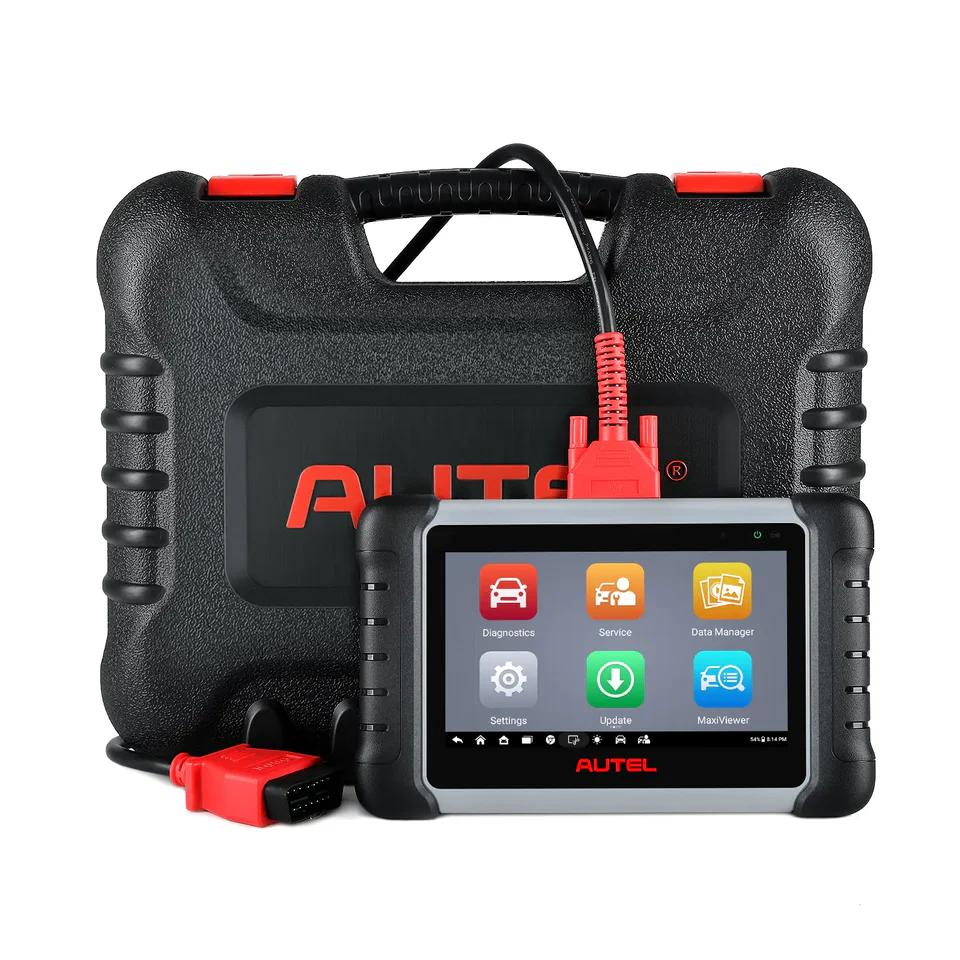
Source: store.autel.com
The Autel MaxiCOM MK808S sits between a basic OBD2 scanner and a professional workshop tool. It’s a 7-inch touchscreen diagnostic tablet designed for experienced DIYers, mechanics in need of transportable equipment, and small workshops that need deeper diagnostics across multiple vehicle brands.
Base functions
Key base functions include Auto VIN, fault-code diagnostics, live data, live data graphs, all-system scans, and broad vehicle coverage for 80+ car makes and models worldwide, 1996 and newer.
Advanced functions
Advanced functions include active tests with bidirectional control, 28+ service functions depending on vehicle coverage, and FCA AutoAuth support, which lets users unlock secured-gateway access on compatible newer FCA/Stellantis vehicles.
Because the MK808S offers more advanced features than entry-level scanners, it takes more time to learn. It’s also bulkier, typically sold with a carrying case, cables, and adapters, and more expensive than dongle-based tools.
|
|
|
|
3. BlueDriver – best for code reading and diagnostics
TL;DR: BlueDriver is a compact, user-friendly Bluetooth OBD2 scanner for checking engine faults, reading live data, and accessing enhanced diagnostics on supported North American vehicles. It’s a solid choice for everyday drivers and DIYers, but it may fall short if you need deep system work, coding, or vehicle customization.
Best for: Users who want an app-based OBD2 scanner for reading codes, checking live data, and understanding common vehicle faults without subscriptions or extra app fees. It’s a good fit for everyday drivers with North American vehicles who want more guidance than a basic code reader, but don’t need coding, customization, service functions, or output tests.
Price: $129.95, with no subscription or in-app fees.

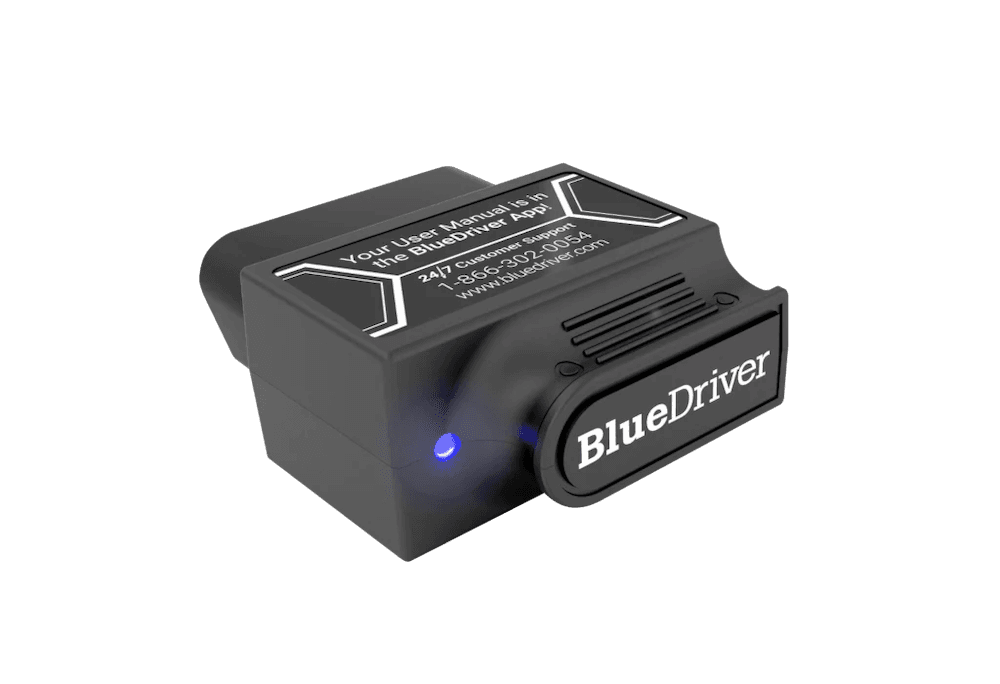
Source: bluedriver.com
BlueDriver is a Bluetooth-enabled OBD2 scanner that plugs directly into your car’s OBD2 port and pairs seamlessly with a smartphone app. It’s designed mainly for cars, SUVs, and light trucks sold in North America, making it a practical option for users who want app-based diagnostics without a separate handheld scanner.
Base functions
BlueDriver’s base functions include reading and clearing check engine codes, viewing live data and freeze frame data, running smog checks, and accessing repair reports through the BlueDriver app. For basic OBD2 diagnostics, it supports older North American vehicles from 1996 onward.
Advanced functions
BlueDriver also supports enhanced diagnostics, including ABS, SRS, and transmission data on selected vehicles. However, coverage depends on the vehicle’s make, model, year, and market, so users should check compatibility before buying.
BlueDriver feels similar to OBDeleven because both tools work through a mobile app. The difference is what they focus on. BlueDriver offers mainly diagnostics, while OBDeleven gives more customization features such as One-Click Apps and manual coding/service functions in supported vehicles.
Tip: You can find an in-depth comparison of both tools in this OBDeleven vs. BlueDriver blog post.
| Pros | Cons |
|
|
4. Innova 5610 – Best handheld scanner for advanced DIY diagnostics
TL;DR: The Innova 5610 is a standalone handheld scanner for DIY users who want full-system diagnostics, live data, bidirectional controls, service functions, and battery checks – including hybrid/EV battery testing on supported vehicles. It does not offer coding or customization and is mainly built for U.S. and Canadian-market vehicles.
Best for: DIY users who want a standalone handheld scanner with more advanced diagnostics than a basic OBD2 reader, including live data, bidirectional controls, service functions, and battery health checks – but do not need coding or vehicle customization features.
Price: Around $349.99, depending on seller and promotion.
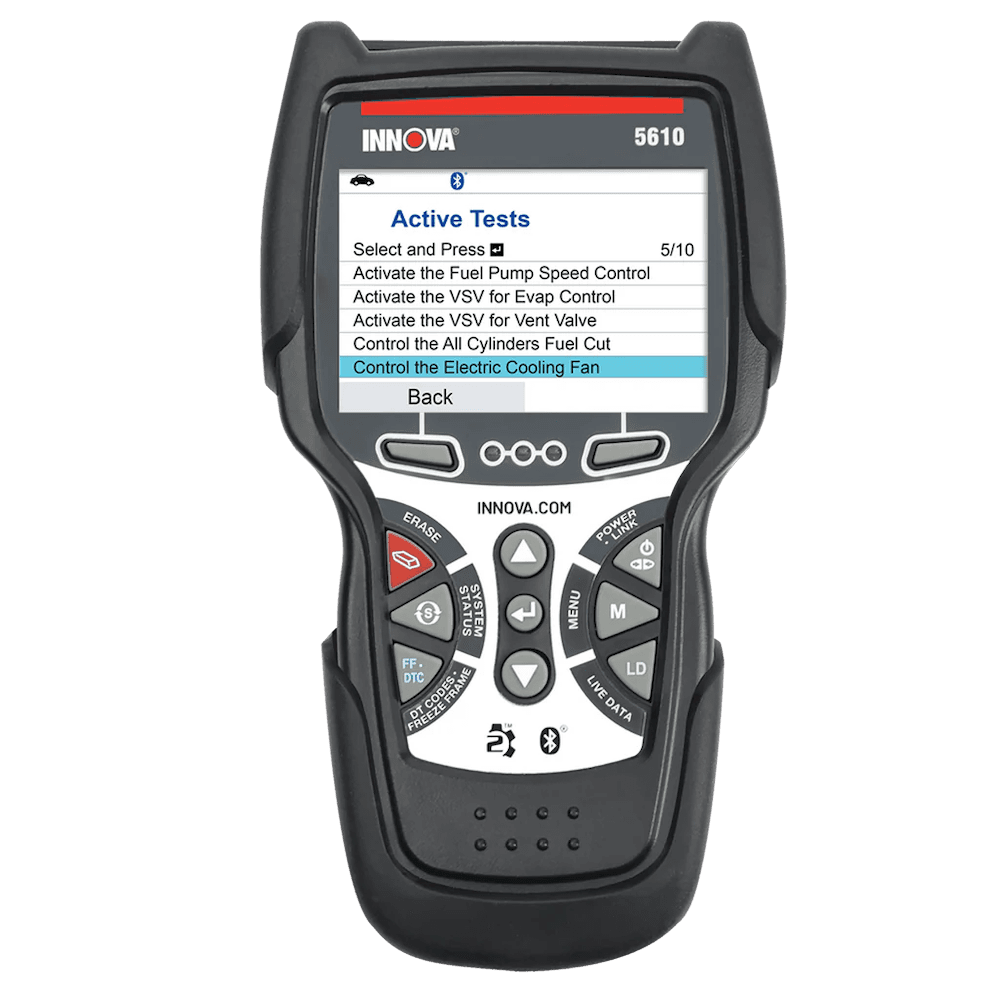
Source: innova.com
The Innova 5610 is a practical handheld scanner for DIYers who want full-system diagnostics in a standalone device, without the setup of a tablet-style tool like the Autel MaxiCOM MK808S.
Base functions
The Innova 5610’s base functions include full-system diagnostics, live data viewing, graphing and recording key readings, and scanning supported systems such as ABS, airbags, transmission, and other modules, depending on the vehicle. It also includes battery and charging system checks, with hybrid/EV battery testing available on supported vehicles.
Advanced functions
Advanced functions include bidirectional controls for testing supported components, along with various service functions and resets. However, available features vary by vehicle, region, and tool version.
The Innova 5610 does not offer manual coding or other vehicle customization features, making it better suited for diagnostics, service functions, and component testing than personalization.
The main limitation is regional compatibility. Innova scanners are primarily designed for vehicles sold in the U.S. and Canada. The Innova 5610 currently supports vehicles from 1996 through 2022, with updates for newer models in progress. The RepairSolutions2 app, which pairs to the device, is also stated to work only for current U.S. or Canada residents.
| Pros | Cons |
|
|
5. Launch X431 CRP919XBT – best for DIY enthusiasts
TL;DR: The Launch X431 CRP919XBT is a wireless tablet-style scanner for serious DIYers who want full-system diagnostics, ECU coding, full bidirectional control, and service functions – but are ready to pay close to the upper limit of what most DIY users can justify.
Best for: Serious DIY enthusiasts who want full-system diagnostics, full bi-directional control, ECU coding, and service functions in a wireless tablet-style scanner – and are comfortable paying near the upper end of the DIY scanner price range.
Price: Around $439.00, depending on seller, region, bundle, and promotions.
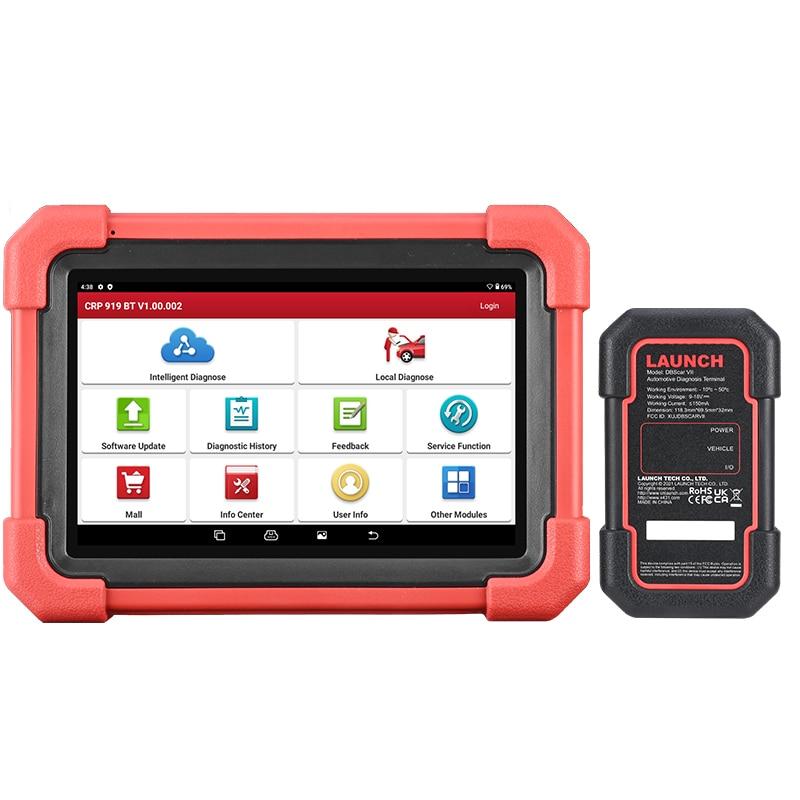
Source: launch-tool.com
The Launch X431 CRP919XBT is one of the more advanced options in this list. It’s built for DIY enthusiasts who want a scanner that feels closer to a professional diagnostic tool, but without stepping into the highest workshop-tool price range.
Base functions
The Launch X431 CRP919XBT uses a tablet-style interface and connects wirelessly through a Bluetooth VCI adapter. Depending on the vehicle, it can scan multiple systems, show live data, and perform a wide range of service functions.
Advanced functions
Advanced functions include active tests with full bi-directional control, ECU coding support, and newer protocol support such as DoIP. ECU coding gives more advanced users the ability to configure certain modules or perform coding-related functions on compatible vehicles.
However, this should not be confused with easy app-based customization. Coding availability also depends on the vehicle make, model, year, and system, and the process is more technical than pre-made features like OBDeleven One-Click Apps.
The CRP919XBT’s support for newer protocols like CAN FD and DoIP also makes it a more future-ready choice for some modern vehicles.
| Pros | Cons |
|
|
What to check before buying an OBD2 scanner
Before buying an OBD2 scanner, consider what you need it to do.
A basic code reader may be enough for checking and clearing engine or transmission faults. But if you want to scan all available systems – like ABS, airbags, transmission, and manufacturer-specific modules – devices selected in this article may be a better fit.
Before making your final decision, review the key factors below.
Vehicle coverage
Make sure the scanner supports your car’s make, model, year, and systems. OBD2 ports have been standard on many vehicles for years, but that doesn’t mean every scanner can access every system – protocols and pins differ.
Read the compatibility details carefully and check whether the device has official brand licensing. This usually means you’ll be able to access more features for your vehicle, such as manufacturer-specific OBD diagnostic trouble codes.
Generic vs manufacturer-specific diagnostic codes
Generic OBD2 codes are standardized fault codes used across most vehicles. They usually point to common issues with the engine, emissions, fuel system, or powertrain.
Meanwhile, manufacturer-specific codes are created by the carmaker and provide more detailed information about brand or model-specific systems, modules, and features – such as ABS, airbags, transmission, battery management, climate control, driver assistance, or infotainment.
Since modern cars rely on many interconnected electronic modules, manufacturer-specific codes can help you better understand which system is affected and how serious the issue may be.
Live data and freeze frame data
Live data from your car’s sensors can reveal a lot, so make sure the scanner you choose handles it well.
Can it show details like engine speed, coolant temperature, and RPMl? This kind of performance monitoring can help you spot issues better, especially when a fault code doesn't answer the problem directly.
Another useful feature that can help understand car problems better is freeze frame data. For example, it can capture details like engine speed, coolant temperature, mileage, or driving conditions at the exact time the issue appeared.
Service functions
Some scanners can help with maintenance tasks, which is especially relevant for DIYers:
- Oil light reset
- Electronic Parking Brake (EPB) retraction
- Battery Management System (BMS) reset
- Tire Pressure Monitoring System (TPMS) service
- Diesel Particulate Filter (DPF) regeneration
If you're interested in doing any of these, then checking compatibility here is especially important – service functions can vary by car and scanner.
Coding, adaptations and other customization possibilities
If you want to do more than run diagnostics, check whether the scanner supports coding, adaptations (variant coding), and other customization options.
A good tool should let you unlock hidden features and adjust settings to your preference – from auto-lock behavior and digital dashboard layouts to the start/stop system, sound settings, warning chimes, and other vehicle functions. These usually require security access, such as SFD unlock for Volkswagen Group vehicles. If the scanner doesn’t support this, some features may not work.
Bidirectional control
Bidirectional control lets a scanner send commands to supported vehicle components, such as activating actuators or running output tests. For example, a scanner may let you activate a fan, pump, solenoid, or Electronic Parking Brake motor.
This can help you test a part before replacing it, but it also requires a careful procedure. However, active tests can affect vehicle behavior, so they are better for experienced DIY users.
App quality and updates
A scanner is only as useful as the software behind it, so don't forget to look into the brand behind the device.
Check whether they provide regular updates and reliable customer support. If you own or work on multiple different cars, also see which brands and models they support and whether that list is growing.
Are new features being added? That’s a good sign. It means you may be able to use the device for a long time without needing to upgrade.
Practicality and ease of use
Last but not least, consider how easy the OBD2 scanner is to use.
Think about practical details like compact size, car battery-saving features, smartphone compatibility, and whether you prefer a wired or wireless connection. Bluetooth scanners plug into the OBD2 port and connect to an app, while wired scanners connect directly to the OBD2 port and usually have a built-in screen.
While the underlying technology may be similar across devices, good UX and overall feel can make or break a product – especially if you’re not a car technician.
Other popular OBD2 scanners worth considering
TOPDON TopScan
TOPDON TopScan is a pocket-sized Bluetooth scanner that turns your smartphone into a diagnostic tool. It supports app-based diagnostics, including reading and clearing fault codes, live data, and other advanced functions depending on vehicle compatibility.
Ancel BD310
Ancel BD310 combines a handheld code reader with Bluetooth app connectivity, so users can choose between using the built-in screen or checking diagnostics through a phone. It’s a practical pick for basic DIY diagnostics and everyday checks.
Launch CR529
Launch CR529 is an entry-level OBD2 scanner focused on essential diagnostics. It can read and clear codes, show live data, check I/M readiness, retrieve freeze frame data, and run O2 sensor and EVAP tests.
Foxwell NT809
Foxwell NT809 is an Android-based tablet scanner aimed at advanced DIYers and repair shops. It offers multi-manufacturer coverage, full-system diagnostics, service functions, and accurate diagnostic data in a more capable format than a basic code reader.
We also have several in-depth comparisons that compare OBDeleven 3 features with other popular scanners, depending on what you’re looking for:
- For Volkswagen Group vehicles – OBDeleven vs. VCDS
- For Mercedes-Benz – OBDeleven vs. MBito
- For BMW – OBDeleven vs. BimmerCode
- For multiple different vehicles: OBDeleven vs. Carista, OBDeleven vs. Carly, OBDeleven vs. FIXD
- For advanced features: OBDeleven vs. Ancel
Which OBD2 scanner should you choose?
If your budget is around $100–$200, consider these more accessible options:
- OBDeleven 3 is best if you want app-based diagnostics, easy customizations with One-Click Apps.
- BlueDriver is a good alternative for simple diagnostics and in-app repair guidance. It reads engine codes plus ABS, SRS, and transmission codes on supported vehicles, but is mainly focused on North American vehicles.
If you're planning to spend around $200–$450, these are our recommendations:
- Innova 5610 is a good handheld option with hybrid/EV battery support, repair guidance, live data, bidirectional controls, and service functions. But it does not offer coding or customization and is mainly focused on U.S. and Canadian-market vehicles.
- Autel MaxiCOM MK808S/MK808Z is a capable diagnostic tablet with full-system scans, live data, service functions, and active tests. It offers more than most DIYers need, but updates are usually paid after the first year.
- Launch X431 CRP919XBT is for serious DIYers who want ECU coding, full bidirectional control, service functions, and CAN FD/DoIP support. It offers strong value, but requires more technical knowledge.


OBDeleven 3 device + 200 Credits
Includes OBDeleven 3 device and 200 Credits for unlocking car features with One-Click Apps
€114.99€91.99
20% OFF
Exclusive deal
Disclaimer: This comparison is based on available information and provides an unbiased overview. Always refer to the official OBDeleven, Autel, BlueDriver, Innova, and Launch websites or contact their customer support for the most up-to-date details.
Advice, how-to guides, and car care tips on our blog are intended as helpful resources for general maintenance and repairs. While we strive for accuracy, the information is provided to the best of our knowledge and should be used at your own discretion and risk.
Always refer to your vehicle’s owner’s manual or consult a certified mechanic for specific repair details and safety procedures.