#Diagnostics & troubleshooting
Introducing AI fault explanations: An easier way to understand car fault codes


TL;DR: Advanced diagnostics just received an upgrade. The extra AI layer will help you understand present faults better without having to search for information on the web.
If you’ve used an OBD scanner before, you probably recognize a fault code or two.
But when dozens of P0102, P0014, or P0335-like codes show up, they rarely explain what’s actually going on or what it means for your specific car or situation. Even we at OBDeleven wouldn’t always decode them without a quick search.
And expecting you to do that wasn’t fair.
So, first of all – our sincere apologies.
Second, we fixed this.
We recently introduced an AI layer to provide you with an easier way to understand car faults and their severity directly on the OBDeleven app.
In this blog post, we’ll cover all you need to know about AI-powered fault explanations: where to find them, and how to get the best of this feature.
What are AI fault explanations?
AI fault explanations define your car’s fault codes in plain language, using context from your vehicle, right after a diagnostic scan.

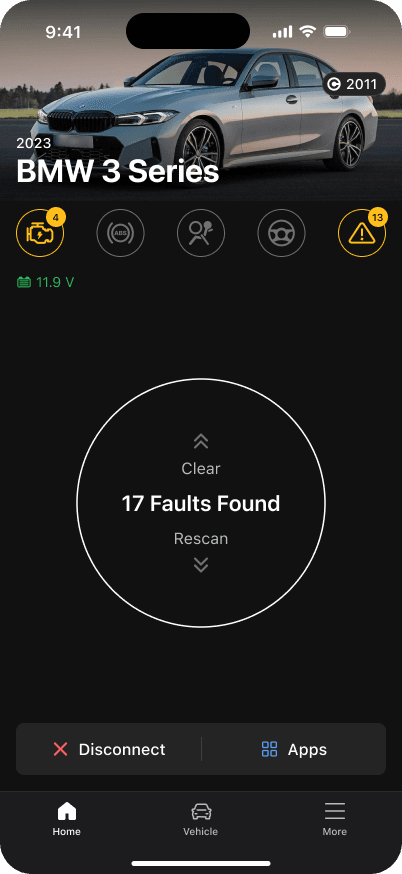
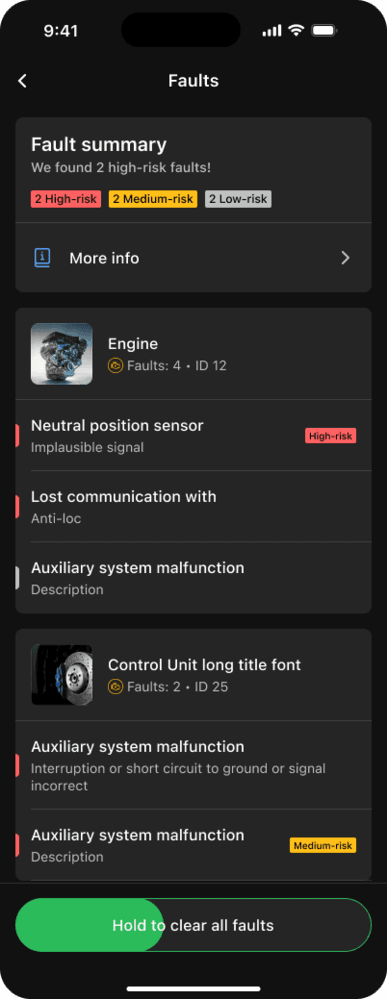
Once scanned, you can review a fault summary and check each control unit and individual faults.

The AI-powered fault descriptions will be generated using all available contextual data and appear in the “About” and “How to fix” sections once you tap on a fault.
We understand that not every driver has deep car knowledge.
Instead of having to dive into Reddit forums to figure out what the problem is, AI fault explanations now provide simple, readable explanations for your fault codes directly inside the OBDeleven app after running a scan.
Why this matters to you
Previously, diagnostic results gave you a brief explanation of what’s wrong. These descriptions were technical by design and didn’t explain severity, drivability impact, or what to do next.
This improvement removes that friction.
You get clear answers directly in the app – including how serious the issue is, whether it can wait, and what to do next.
What is new in the experience?
The redesigned layout guides you from understanding what’s going on with your car and what steps you should take next.
Here’s a rundown of the new layout:
“About” section
A clear, general summary of the issue and its seriousness. It explains why the fault occurred and its impact on drivability. The section also defines if the fault prevents you from driving your vehicle further or if you can wait until you get it fixed.
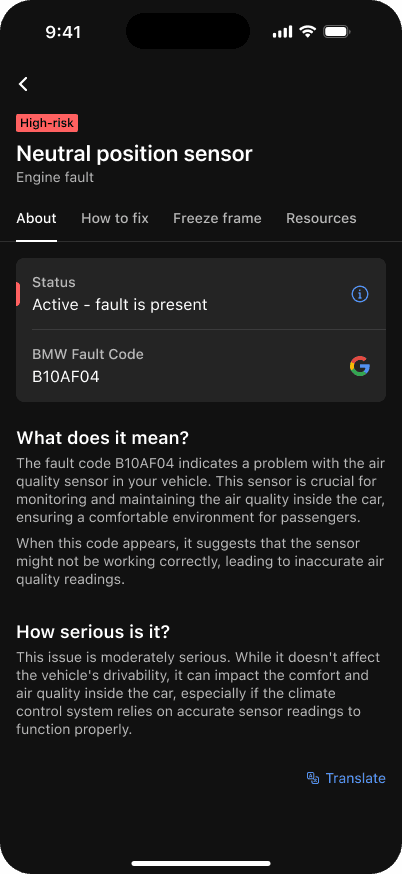
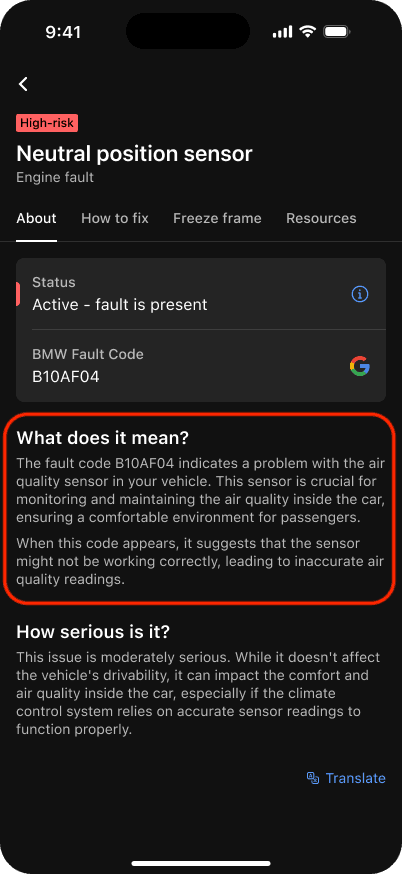
“What does it mean?” part
A simple explanation that breaks down the fault’s impact in everyday language. It appears in the "About" section.
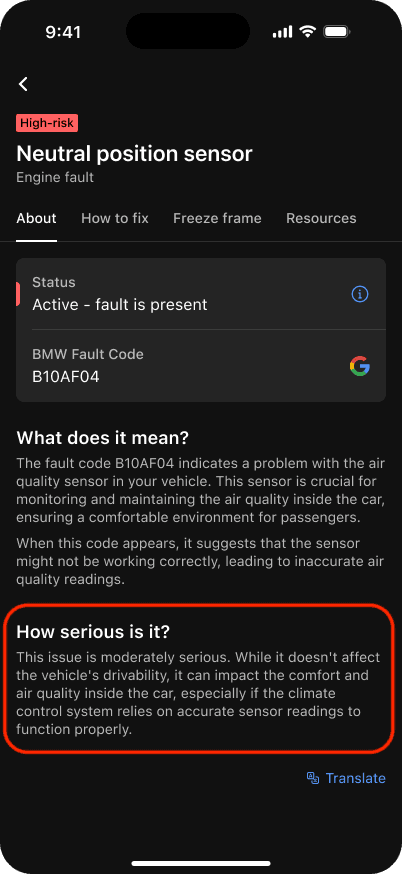
“How serious is it?” part
A short summary of potential effects on drivability, emissions, and engine health. Every fault is now classified as high, medium, or low-risk, helping you quickly judge the urgency of the issue. This part appears in the "About" section.
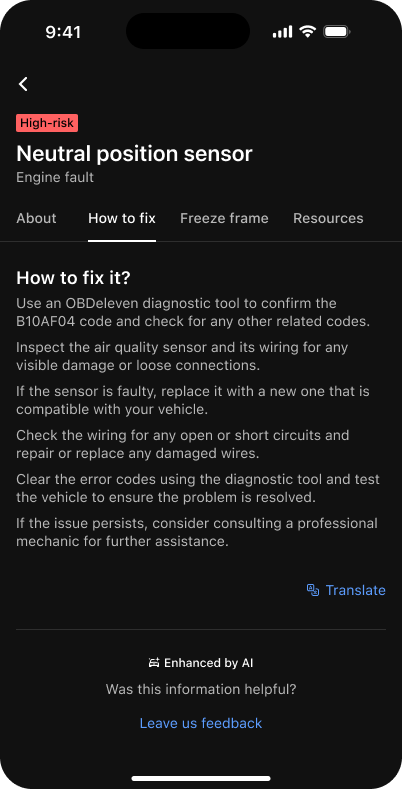
“How to fix it?” section
A list of guided steps to take to resolve the issue. Fixes can range from quick checks and DIY jobs to deeper troubleshooting and potentially assistance from a professional mechanic.
We also use additional resources to validate and fortify information. You can find these resources as separate sections in the app, too.
- Freeze frame data – freeze frame data is a snapshot of your car’s conditions when a fault occurs. Your freeze frame values are now integrated into the explanation to provide a more accurate description of what happened. This means that the explanation is tailored to your situation.
- Manufacturer resources – we cross-reference with manufacturer’s data to include official descriptions, typical symptoms, and possible causes of the fault.
The goal is simple: give you a faster understanding, fewer questions, and more confidence.
How the new fault explanations work
The new fault explanation engine runs on top of OBDeleven’s existing diagnostics feature.
You don’t need to enable or purchase anything for it to work. Advanced diagnostics remain free, and improved fault explanations are included as part of the standard functionality.
Here’s how it works:
- The OBDeleven device scans the car and retrieves fault codes
- The tool collects freeze frame data and system contexts
- Artificial intelligence generates a possible explanation using these details
- Explanations are strengthened by cross-referencing known manufacturer data
- The OBDeleven app assigns a risk level label based on the evaluated severity of the fault
If you want a more detailed explanation of how diagnostics work and where to find specific data in the results, take a look at our dedicated FAQ article. We will continue training the system to deliver even more precise and context-aware explanations over time.
Tip: Want real-time diagnostic alerts with your OBDeleven 3? Try Car alerts. It monitors fault changes in the background and lets you know when it’s time to run a scan. From there, you can review AI-powered fault explanations and choose the best repair option.
Availability
AI-powered fault explanations are available now in the OBDeleven app across both iOS and Android platforms with app version 1.38.0.
AI fault explanations are available for all officially licensed vehicles – Volkswagen, BMW, Toyota, Mercedes-Benz and US-manufactured Ford Group cars*.
*AI-powered fault explanations for Ford and Mercedes cars are available only with OBDeleven 3 device. We have an in-depth explanation of why that is here.
Making car care more accessible
Understanding your car should not feel like deciphering an engineering code.
With AI fault explanations, you can immediately see what’s happening with your car and what should be your next step. OBDeleven makes everyday diagnostics clearer, faster, and far easier for everyone.

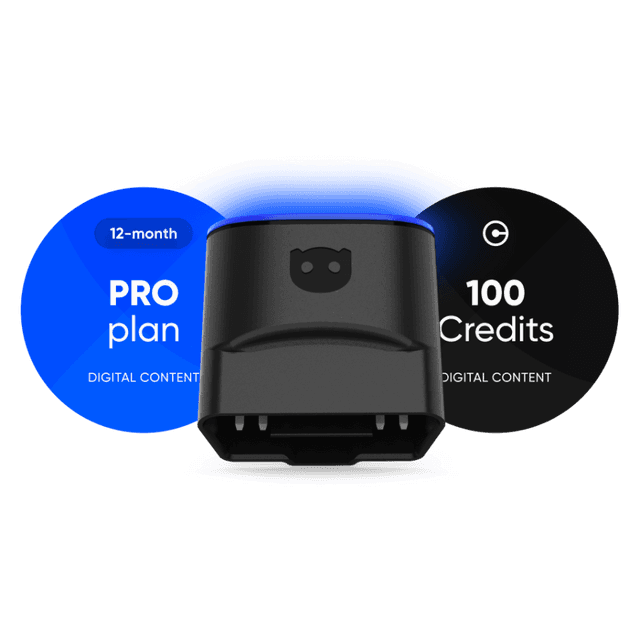
OBDeleven 3 PRO Pack + 100 Credits
Includes OBDeleven 3 device, PRO plan (12-month), and 100 Credits for unlocking car features with One-Click Apps
€139.99