#Tools & plans
Best OBD2 scanners for Mercedes-Benz [2026]


![Best OBD2 scanners for Mercedes-Benz [2026]](/_next/image?url=https%3A%2F%2Fobdeleven.com%2Fsylius_shop_api_original%2Fsylius_media%2F96%2Fba%2Fbb03ede790357b004fda336481f9.png&w=3840&q=75)
TL;DR: For most everyday drivers, OBDeleven 3 is the best app-based choice, with official Mercedes-Benz support, full-system diagnostics on supported models, live data, pre-made coding options, and useful ownership features. For more advanced or handheld tools, consider iCarsoft MB V3.0 as the best Mercedes-specific handheld, Autel MaxiCOM MK808S as the best for workshop use, LAUNCH Creader Elite 2.0 as the best budget bi-directional option, or FOXWELL NT510 Elite as the best compact scanner.
Style, comfort, and advanced engineering are what make Mercedes-Benz stand out. But they also mean the vehicle depends on complex electronics and multiple networked control units. So, if you want to diagnose issues or change manufacturer settings, a random generic scanner may not be enough.
This guide will help Mercedes-Benz owners, DIYers, enthusiasts, and independent mechanics choose the right OBD2 scanner. We’ll dig into compatibility, diagnostic depth, skill level, and budget.
You’ll find five best selected Mercedes OBD2 scanners for different use cases and see how their features, ease of use, value and other specifications compare in 2026.
What to check before buying a Mercedes diagnostic tool
Before choosing a diagnostic tool for your Mercedes, check for these key things first to get the best value for your money:
Full-system diagnostics
A good Mercedes scanner should access more than the engine module. Look for tools that can scan available systems across the vehicle, including key Mercedes modules where supported.
Mercedes-specific fault codes
Make sure the scanner reads manufacturer-specific fault codes, not just generic OBD2 codes.
Service and maintenance functions (if needed)
Depending on your needs, look for functions such as oil/service reset, brake service, battery functions, steering angle sensor reset, DPF functions, and AdBlue/SCR functions where supported.
Coding and customizations
Some tools support coding or beginner-friendly customizations. OBDeleven, for example, offers One-Click Apps – ready-made customizations that can be activated without manual coding knowledge.
Bi-directional control (for advanced users)
Bi-directional control means the scanner can command supported components for testing. For example, it may activate a pump, fan, valve, relay, or other supported component to help confirm whether a part or circuit is working.
Ease of use
App-based scanners are usually easier for everyday drivers because they use a familiar phone interface. Handheld scanners are more traditional and do not require a phone. Tablet scanners are more powerful but can feel more complex.
Updates and long-term support
Check how updates work before buying, so the total usage price doesn’t surpise you in the long run. Some tools include free updates for a limited period, while others require paid renewals or subscriptions. For example, Autel MK808/MX808 tools include one year of free software updates, with paid optional renewals available afterward.
Top 5 OBD2 scanners for Mercedes-Benz owners
Based on diagnostics depth, Mercedes-specific features, ease of use, price, and long-term value, these are some of the best OBD2 scanners for Mercedes-Benz owners in 2026.
1. OBDeleven 3 – best app-based Mercedes scanner for everyday drivers
TL;DR: OBDeleven 3 is the best app-based choice for most Mercedes-Benz drivers. It combines officially licensed full-system diagnostics on supported Mercedes models, live data, One-Click Apps, and ownership features like Car alerts, Trip tracker, and Maintenance reminders in a compact Bluetooth device.

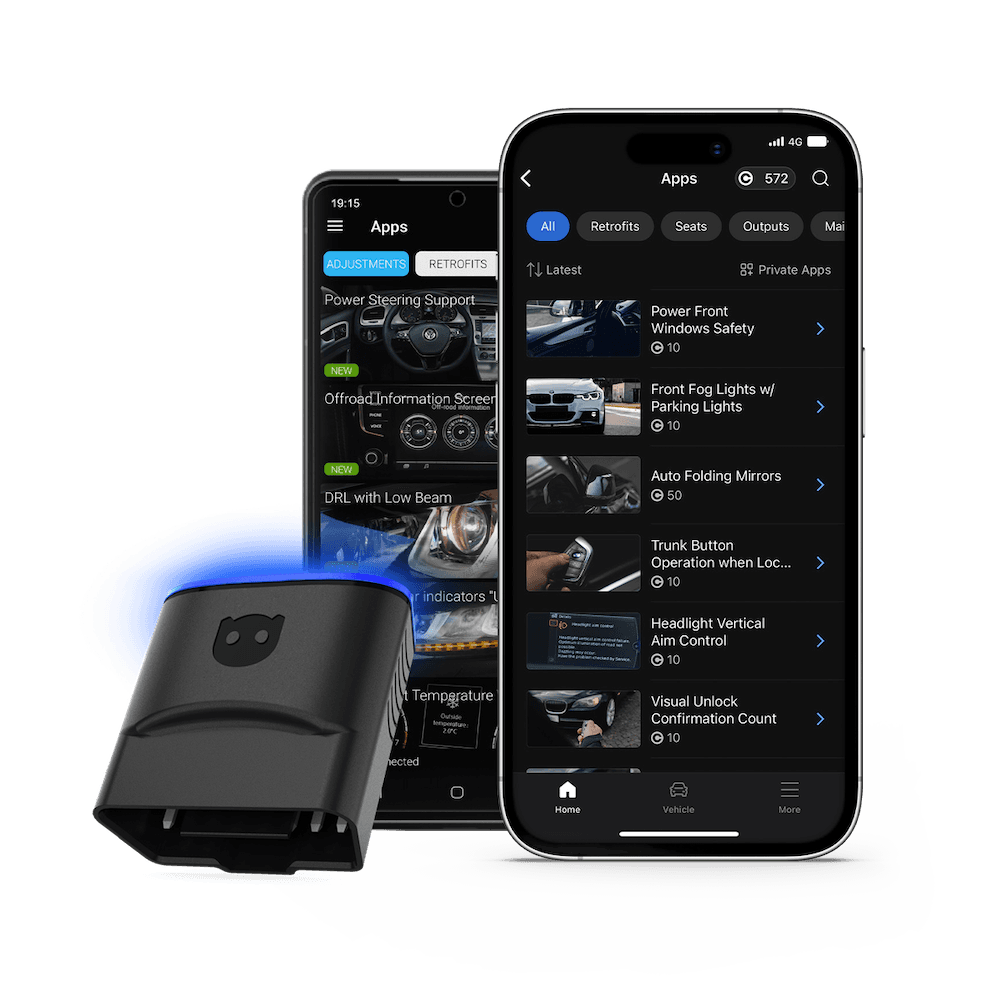
OBDeleven 3 is one of most modern OBD2 scanners out there. Built for car enthusiasts and DIY mechanics, it’s designed to make vehicle diagnostics and customization safer and simpler.
It’s officially licensed for Volkswagen Group, BMW Group, Toyota Group, Ford US, and Mercedes-Benz vehicles, making it one of the most trustworthy options for diagnostics and customization. OBDeleven supports all cars with the CAN-bus protocol, typically from 2008 and newer*.
The device itself is a small dongle that plugs into your car’s OBD port and connects to the OBDeleven app on your Android or iOS smartphone via Bluetooth. From the app, you can scan and modify your vehicle with a couple of taps.
Key features include advanced fault reading and clearing, OBD2 live data, advanced diagnostics of all available vehicle systems, One-Click Apps, and more.
*Mercedes vehicles from 2002 and newer may also be compatible if they use CAN bus.
| Pros | Cons |
|
|
Note: You can check which One-Click Apps are available for your Mercedes in this OBD eleven’s customizations library.
Pricing
OBDeleven 3 starts at €84.99 as a one-time device purchase – FREE plan and unlimited free diagnostics included. There's also a OBDeleven 3 + 200 Credits option at €114.99, great for drivers who plan to do customizations with One-Click Apps.
Whichever plan or option you choose, software and app updates are included for free.
Best for
Mercedes drivers who want an officially licensed, phone-based scanner for everyday diagnostics, pre-coded customizations, and useful ownership features.
It’s especially relevant for those who value ease of use and a well-designed app experience.
2. iCarsoft MB V3.0 – best Mercedes-specific handheld scanner
TL;DR: iCarsoft MB V3.0 is a strong handheld option if you work on Mercedes-Benz, Maybach, Smart, or Sprinter vehicles and want brand-focused diagnostics in a standalone device.
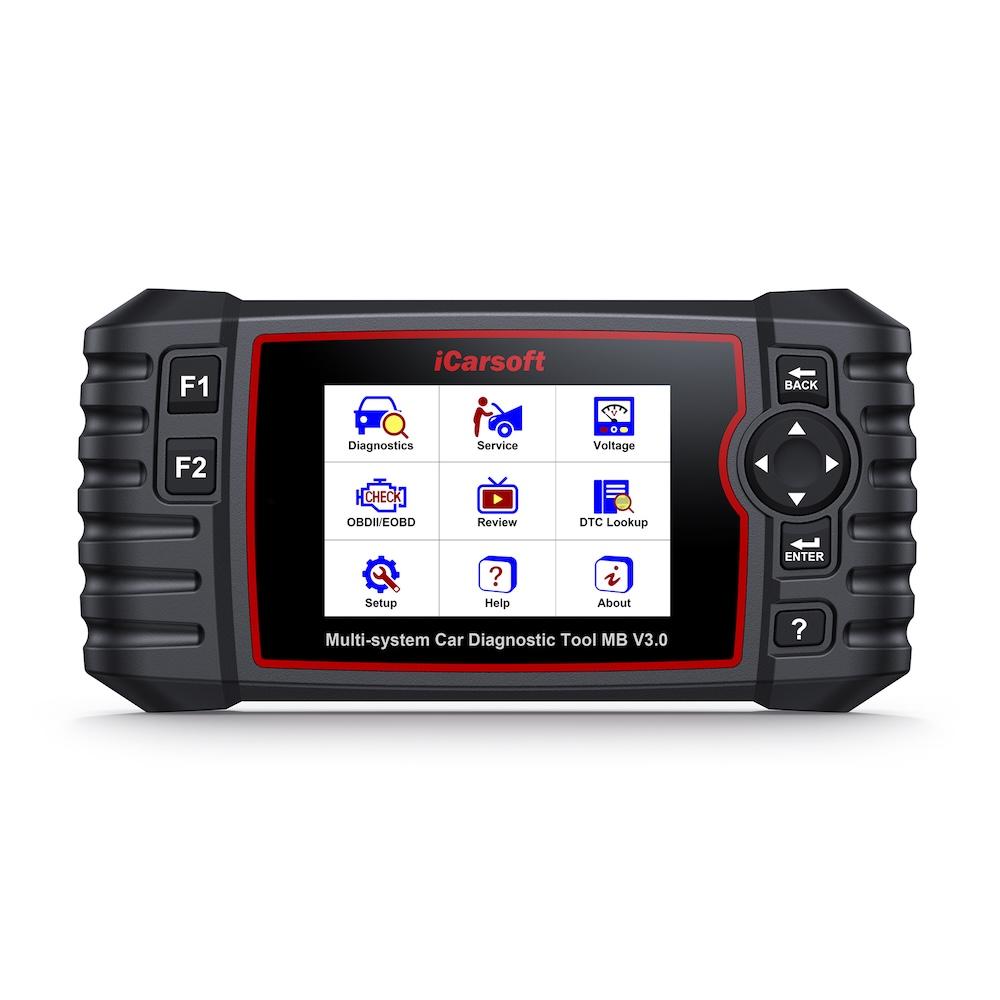
Source: iCarsoft.com
The iCarsoft MB V3.0 is a tablet-based OBD2 scanner designed for Mercedes, Maybach, Smart, and Sprinter vehicles.
iCarsoft is a handheld tool for home mechanics, DIYers, and professionals, with 30+ service reset functions including full system diagnostics, live data, reading and clearing of DTCs, and actuation/bi-directional tests supported.
| Pros | Cons |
|
|
Pricing
Current European pricing is around €180, though prices vary by region and retailer. Lifetime free software updates included.
Best for
Mercedes owners who prefer a dedicated handheld scanner over a phone-based tool and want more service functions.
3. Autel MaxiCOM MK808S – best all-round diagnostic tablet
TL;DR: Autel MaxiCOM MK808S is a strong all-round diagnostic tablet for users who want more advanced functions and multi-brand coverage, but it has a higher price tag and may be more complex than casual Mercedes owners need.
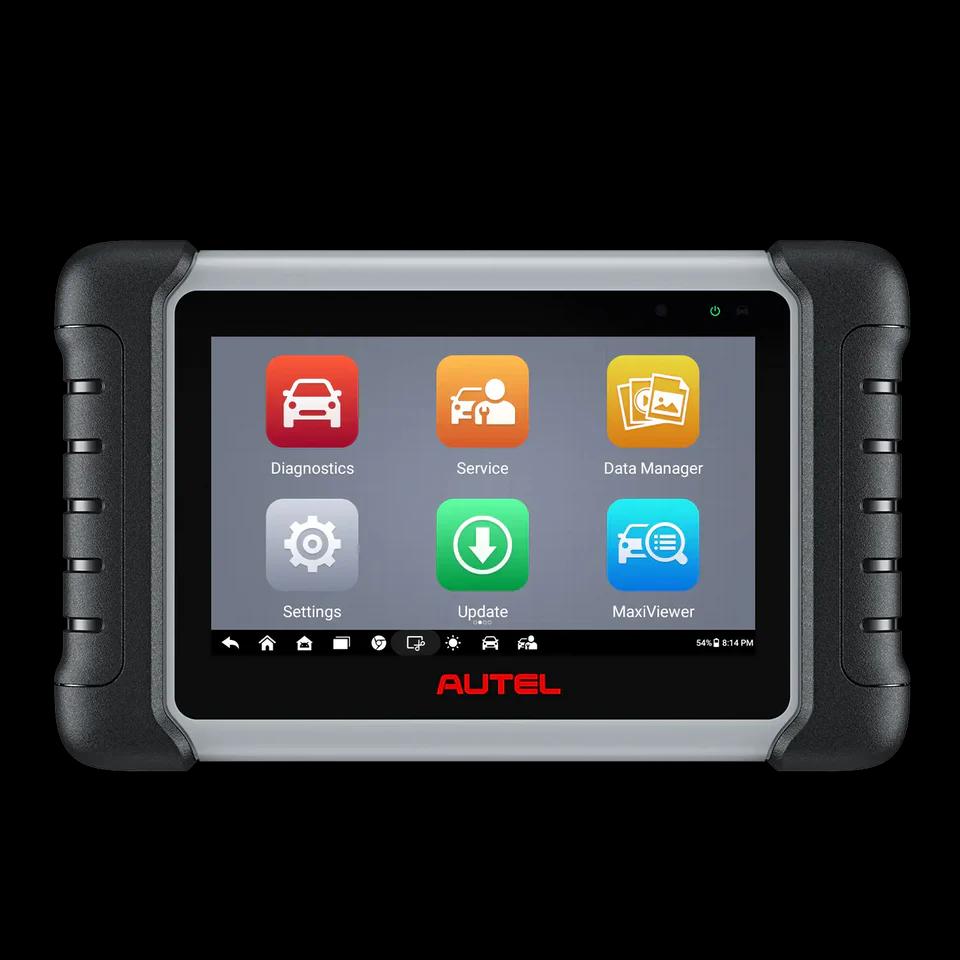
Source: store.autel.com
The Autel MaxiCOM MK808S/MK808Z is a 7-inch touchscreen diagnostic tablet designed for broader, professional workshop-level vehicle diagnostics.
Key features include Auto VIN, full system scans, and fault-code diagnostics, active tests with bi-directional control, and 28+ service functions depending on vehicle coverage. It claims to work on 80+ car makes and models worldwide (1996 and newer).
| Pros | Cons |
|
|
Pricing
The MK808S is generally a higher-priced tool than phone-based dongles and compact handheld scanners. Many 2026 buyer guides place it around $479- $500, but pricing varies by market, bundle, and seller. Update renewals may also add long-term costs after the first year.
Best for
Serious DIYers and independent mechanics who want broad vehicle coverage and more advanced diagnostic workflows.
4. LAUNCH Creader Elite 2.0 Mercedes/BBA – best budget bi-directional option
TL;DR: LAUNCH Creader Elite 2.0 is a good option if you want a more affordable handheld scanner with Mercedes or German-brand coverage and selected bi-directional functions.
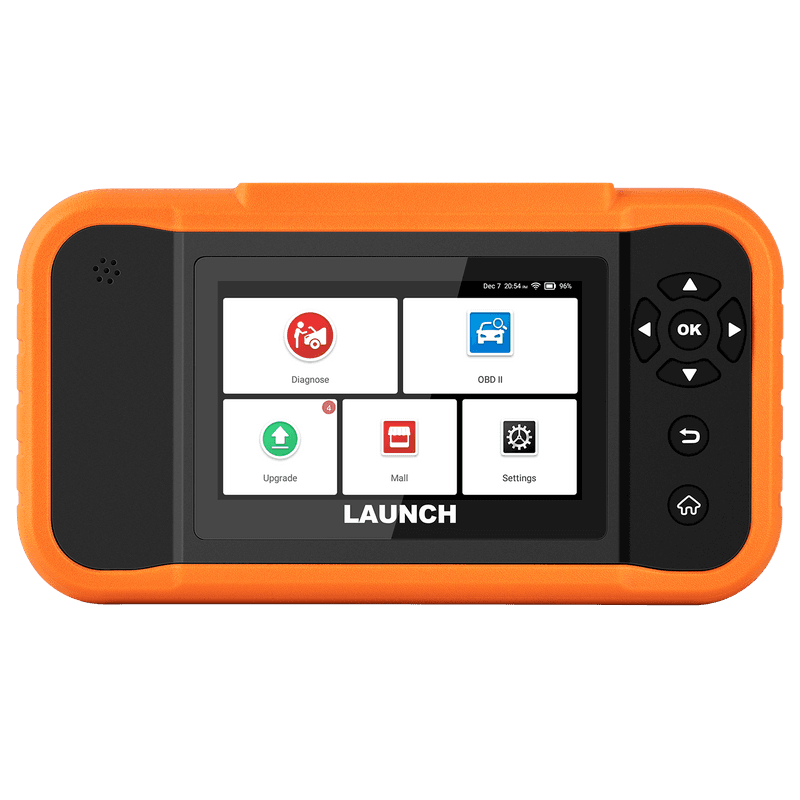
Source: launch-tool.com
The LAUNCH X431 Creader Elite 2.0 BBA is positioned as a more affordable scanner for BMW, Benz, and Audi vehicles. LAUNCH-related listings mention all-system diagnostics, maintenance resets, ECU coding, bi-directional capabilities, and relearns, though the exact coverage depends heavily on the version purchased and the vehicle being scanned.
| Pros | Cons |
|
|
Pricing
Mercedes or BBA versions are commonly sold in the lower-to-mid handheld scanner range. Expect to pay around $149, but prices vary by seller, region, and promotion.
Best for
Budget-conscious Mercedes owners who want more advanced functions on a budget.
5. FOXWELL NT510 Elite Mercedes – best compact enthusiast scanner
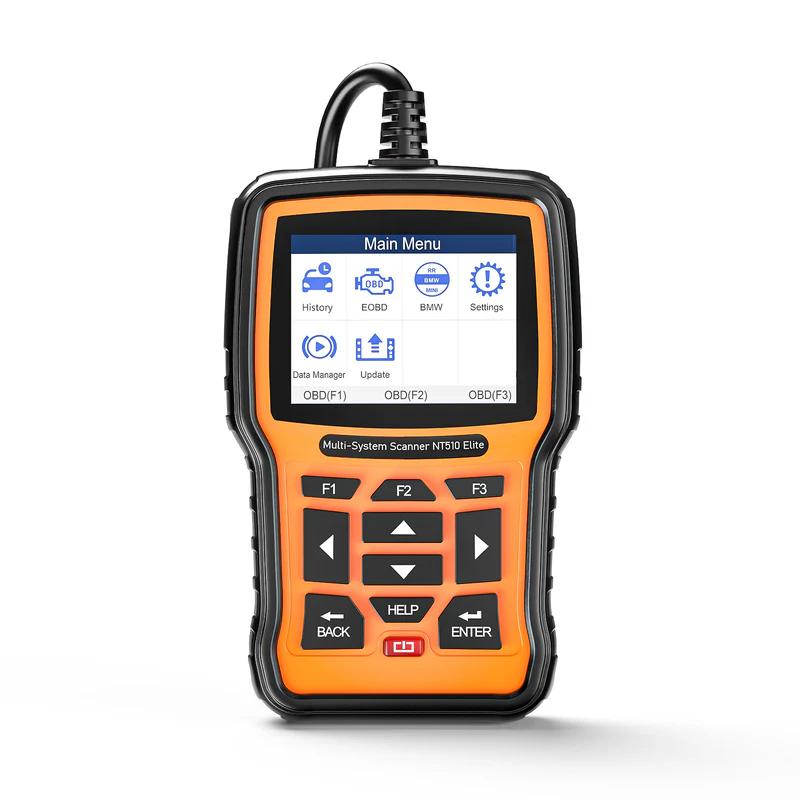
TL;DR: FOXWELL NT510 Elite Mercedes is a handheld scanner for enthusiasts who want Mercedes-specific diagnostics and service functions without moving into full tablet-tool pricing.
Source: foxwelldiag.com
Foxwell positions the NT510 Elite as a multi-system scanner that supports commonly required service features.
It does full-system scans, bi-directional tests resets functions, live data, and Mercedes-related coverage, but buyers should verify exact model coverage and update policy before ordering, as it’s commonly bought together with software for Benz specifically.
| Pros | Cons |
|
|
Pricing
Pricing varies widely by region and seller (around €170), but the NT510 Elite generally sits below professional tablet tools and above basic generic code readers.
Best for
Mercedes enthusiasts who want a dedicated garage tool.
How do these Mercedes scanners compare?
| Scanner | Best for | What it does well | Customizations/Coding | Service functions | Main limitation |
| OBDeleven 3 | Everyday Mercedes drivers | Easy app-based Mercedes diagnostics | Yes – One-Click Apps for selected features | None available yet | No advanced workshop service reset functions |
| iCarsoft MB V3.0 | Mercedes owners who want a handheld tool | Mercedes-focused diagnostics | No clear pre-coded customizations | Yes – selected resets and service functions | Less modern UI; mainly for Mercedes-related brands |
| Autel MaxiCOM MK808S / MK808Z | Serious DIYers and small workshops | Broad diagnostics across many brands | No clear pre-coded customizations | Yes – strong coverage where supported | More expensive; exact functions vary by vehicle |
| LAUNCH Creader Elite 2.0 Mercedes/BBA | Budget DIYers wanting deeper access | Full-system diagnostics where supported | No clear pre-coded customizations | Yes – depends on version and vehicle | Versions and coverage can be confusing |
| FOXWELL NT510 Elite Mercedes | Enthusiasts with a compact | Mercedes-specific diagnostics | No clear pre-coded customizations | Yes – common reset functions | Small screen; coverage must be checked by vehicle |
Note: None of these tools provide true manual coding for Mercedes-Benz, as this is usually handled by professional tools like Vediamo, DTS Monaco, or XENTRY. However, tools like OBDeleven 3 offer pre-coded customization functions that let you adjust selected vehicle settings based on the option you choose. The remaining tools in this comparison focus more on service functions, which may also be guided or automated.
Why cheap OBD2 scanners can fall short on Mercedes-Benz
There’s plenty of cheap OBD2 scannersand code readers. But where fall short the most is advanced full-system diagnostics and Mercedes-specific fault code support. We dug into other main differences in this table below:
| Feature | Generic OBD2 scanner | Mercedes-capable scanner |
| Read/clear engine codes | Usually yes | Yes |
| Full-system scan | Usually no | Yes, depending on scanner/model |
| Mercedes-specific fault codes | Limited | Yes |
| Live data | Basic | More detailed |
| Service resets | Rare | Often available |
| Coding/customizations | No | Available on selected tools |
| Bi-directional tests | No | Available on advanced tools |
| Best for | Quick check engine light scan | Deeper diagnostics and maintenance |
The biggest distinction is Mercedes-specific fault code support. A generic scanner may show a basic emissions code, but a Mercedes-capable scanner can often read manufacturer-specific DTCs that give you a clearer idea of what is actually wrong.
For advanced troubleshooting, live data, service functions, and bi-directional control are also essential. They allow you to command supported components, actuators, or modules during testing, giving you deeper insight into vehicle issues.
One important caveat: no scanner supports every feature on every Mercedes. Coverage depends on the exact model, year, platform, region, engine, equipment, and scanner software.
Which Mercedes OBD2 scanner should you choose?
Choose OBDeleven 3 if…
You want a modern, app-based scanner that’s officially licensed for multiple brands. It’s a strong fit if you need Mercedes diagnostics, one-tap customizations, and helpful ownership features – all without a bulky tablet.
You want a modern, app-based scanner that’s officially licensed for multiple brands. It’s a strong fit if you need Mercedes diagnostics, one-tap customizations, and helpful ownership features – all without a bulky tablet.
Choose iCarsoft MB V3.0 if…
You mainly work on Mercedes-related vehicles, want selected resets and service functions, and prefer a handheld tool instead of using your phone.
You mainly work on Mercedes-related vehicles, want selected resets and service functions, and prefer a handheld tool instead of using your phone.
Choose Autel MaxiCOM MK808S if…
You’re a serious DIYer or work on multiple brands, and want a tablet-style scanner with more advanced service and testing features.
You’re a serious DIYer or work on multiple brands, and want a tablet-style scanner with more advanced service and testing features.
Choose LAUNCH or FOXWELL if…
You want a standalone scanner with common service functions or bi-directional tests at a lower price.
You want a standalone scanner with common service functions or bi-directional tests at a lower price.
Wrapping up
Advanced users may prefer traditional handheld scanners or shop-grade tablets for maximum control. But for everyday drivers and beginner DIYers, the best choice isn’t always the most expensive tool – it’s one that delivers reliable diagnostics, a simple app experience, and features you’ll actually use.
That’s where OBDeleven 3 stands out. With official Mercedes-Benz support, app-based diagnostics, live data, One-Click Apps, and ownership features in one compact Bluetooth device.


Dispositivo OBDeleven 3 + 200 Créditos
Incluye el dispositivo OBDeleven 3 y 200 créditos para desbloquear funciones del vehículo con One-Click Apps
€114.99
No se requiere plan de pago
FAQ
What is the best OBD2 scanner for Mercedes-Benz in 2026?
For most everyday drivers, OBDeleven 3 is the best app-based choice because it combines official Mercedes-Benz support, diagnostics, supported customizations, and ownership features in one phone-based tool. For advanced DIYers or workshops, Autel and LAUNCH tools may be better suited. For handheld Mercedes-specific diagnostics, iCarsoft and Foxwell are strong alternatives.
Can a generic OBD2 scanner read Mercedes codes?
Yes, but usually only basic engine and emissions codes. For full-system diagnostics, Mercedes-specific DTCs, live data, and service functions, use a Mercedes-capable scanner like OBDeleven 3.
Can OBDeleven scan Mercedes-Benz vehicles?
Yes. OBDeleven officially supports Mercedes-Benz with OBDeleven 3. Mercedes support is available only with OBDeleven 3, and feature availability varies by model, year, platform, and equipment.
What scanner is best for Mercedes coding?
For beginner-friendly customizations, OBDeleven One-Click Apps are a strong choice because they let users activate supported features without manual coding. For professional ECU coding or programming, advanced shop-grade tools may be more suitable.
Is a Mercedes-specific scanner better than a universal scanner?
It depends. Mercedes-specific tools can be a good choice if you only work on Mercedes-Benz, Smart, Maybach, or Sprinter vehicles. Universal tools are better if you regularly diagnose multiple vehicle brands.
Disclaimer: This comparison aims to provide an unbiased overview of products based on available information. Always refer to the official OBDeleven, iCarsoft, Autel, Launch and Foxwell websites or contact their customer support for the most up-to-date details.
Advice, how-to guides, and car care tips on our blog are intended as helpful resources for general maintenance and repairs. While we strive for accuracy, the information is provided to the best of our knowledge and should be used at your own discretion and risk.
Always refer to your vehicle’s owner’s manual or consult a certified mechanic for specific repair details and safety procedures.
Always refer to your vehicle’s owner’s manual or consult a certified mechanic for specific repair details and safety procedures.